LINKS
GET EXCLUSIVE FREE TWIXTOR CLIPS
Get Exclusive CC & Quality Setting Here : https://payhip.com/QualityCCLab
Get Demon Slayer Twixtor’s For Free : https://twixtorclips.com/category/demon-slayer-twixtor/
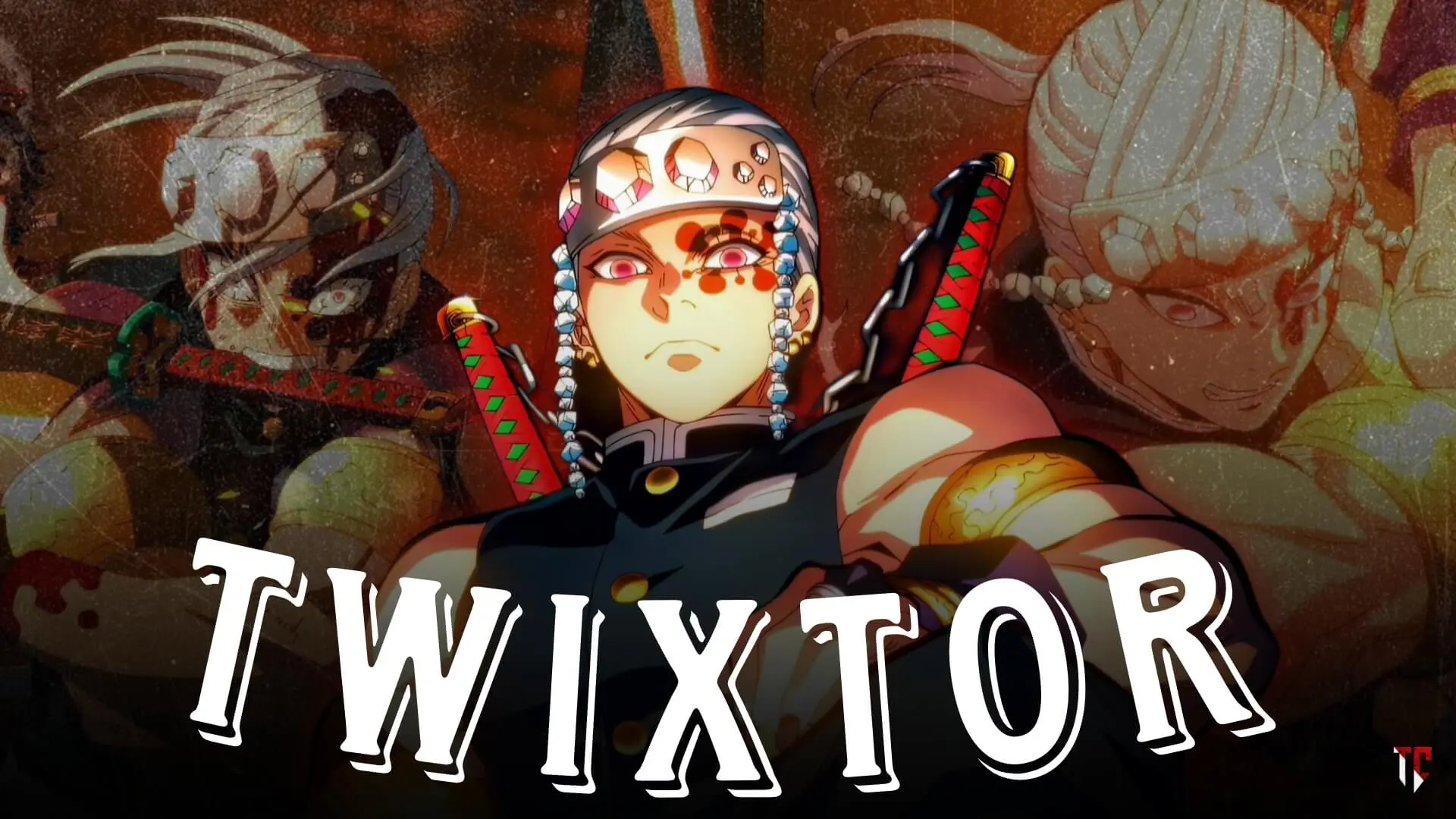
Tengen Uzui Twixtor: Best Demon Slayer Scenes for Anime Edits
Tengen Uzui, the Sound Hashira from Demon Slayer: Kimetsu no Yaiba, is one of the most visually spectacular characters for anime editing. His dual Nichirin blades, explosive fighting style, and flashy personality make every appearance unforgettable. Thanks to the breathtaking animation in the Entertainment District Arc, Tengen Uzui Twixtor edits have become extremely popular on YouTube Shorts, TikTok, Instagram Reels, and AMV communities.
Whether you’re creating a high-energy velocity edit, a cinematic character showcase, or a beat-synced AMV, Tengen’s action scenes provide the perfect combination of speed, colorful effects, and fluid choreography. This guide explores the best moments to edit and shares practical techniques for creating smooth and professional-looking Twixtor edits.
Why Tengen Uzui Is Perfect for Twixtor Editing
Tengen’s combat style is unlike any other Hashira. His movements are fast, rhythmic, and filled with explosive visual effects that naturally complement slow-motion editing.
Several factors make Tengen Uzui Twixtor edits so popular:
- Dual sword combat
- Explosive attack effects
- Acrobatic movement
- Stylish character poses
- High-quality animation throughout the Entertainment District Arc
These features make Tengen one of the best Demon Slayer characters for cinematic edits.
Best Tengen Uzui Scenes for Twixtor Edits
Tengen Uzui’s First Major Appearance
Tengen immediately stands out with his confident personality and flashy entrance.
Editing Tips:
- Slow down his introduction.
- Add subtle zoom effects.
- Sync the reveal with the first beat drop.
- Use clean transitions to build anticipation.
Character introductions often perform exceptionally well in short-form edits.
Tengen vs Gyutaro
The battle against Gyutaro is widely considered one of the best animated fights in Demon Slayer.
For Tengen Uzui Twixtor edits, highlight:
- High-speed sword clashes
- Explosive attack sequences
- Acrobatics and dodges
- Dual blade techniques
Alternate between fast-paced action and carefully timed slow motion for maximum impact.
Sound Breathing Techniques
Tengen’s unique fighting style provides visually impressive moments that are ideal for Twixtor.
Focus on:
- Sword swings
- Explosive effects
- Combo attacks
- Impact frames
Using slow motion only during decisive moments helps preserve the excitement of the fight.
Final Battle Moments
The climax of Tengen’s battle contains some of the series’ most memorable animation.
Editors should emphasize:
- Teamwork sequences
- Character expressions
- Final attack exchanges
- Victory moments
Allow these scenes to breathe instead of rushing through them.
How to Create Better Tengen Uzui Twixtor Edits
Use Velocity Editing
Velocity editing works exceptionally well with Tengen’s fast-paced combat.
Recommended workflow:
- Begin at normal speed.
- Increase speed during movement.
- Slow down major impact frames.
- Return smoothly to regular speed.
This approach maintains the energy of the battle while highlighting its strongest moments.
Highlight Explosive Effects
Tengen’s attacks already contain dramatic visual effects.
For Tengen Uzui Twixtor edits:
- Slow down explosion impacts.
- Highlight weapon collisions.
- Emphasize dynamic camera angles.
- Keep additional effects minimal.
The original animation often provides enough visual intensity on its own.
Match the Music’s Rhythm
Because Tengen is the Sound Hashira, rhythm plays an important role in his fights.
Consider using:
- Electronic music
- Phonk
- Cinematic orchestral tracks
- Beat-heavy remixes
Sync sword strikes and transitions with the music for a polished final edit.
Common Editing Mistakes to Avoid
Overusing Slow Motion
Applying Twixtor to every attack can reduce the excitement of the fight. Reserve slow motion for the most impactful moments.
Excessive Visual Effects
The Entertainment District Arc already features outstanding animation. Too many overlays or flashes can distract from the action.
Poor Scene Selection
Choose moments with:
- Clear movement
- Minimal motion blur
- Strong animation quality
- Memorable attacks
High-quality source scenes produce smoother interpolation and cleaner edits.
Ignoring Storytelling
The best Tengen Uzui Twixtor edits combine action with emotion, showing not only the fight but also Tengen’s determination and leadership.
Why Tengen Uzui Is Popular Among Editors
The popularity of Tengen Uzui Twixtor edits comes from the perfect blend of spectacular animation, stylish combat, and charismatic personality. His battles offer an ideal mix of speed, rhythm, and visual effects that translate beautifully into short-form anime edits.
With the Entertainment District Arc featuring some of the finest animation in modern anime, Tengen remains one of the most edited Demon Slayer characters.
FAQ
What is a Tengen Uzui Twixtor edit?
A Tengen Uzui Twixtor edit is an anime edit that uses frame interpolation and slow-motion techniques to enhance scenes featuring Tengen Uzui from Demon Slayer.
Which Tengen Uzui scenes are best for editing?
His introduction, the battle against Gyutaro, Sound Breathing techniques, and the final fight sequences are among the most popular choices.
What editing style works best for Tengen Uzui?
Velocity edits, cinematic AMVs, beat-synced edits, and character showcase videos work particularly well with Tengen-focused content.
Final Thoughts
Tengen Uzui’s incredible animation, explosive combat style, and unforgettable personality make him one of the best characters for anime editing. By combining thoughtful scene selection, precise timing, and selective slow motion, you can create edits that capture the excitement and style of the Sound Hashira.
For more Demon Slayer editing guides, anime fight breakdowns, and advanced Twixtor tutorials, explore the latest resources on TwixtorClips.com.
Follow & Contact us on Instagram : FLAMEARC