LINKS
Asta Devil Union Form Twixtor Clips: Black Clover’s Darkest Power-Up
Asta’s Devil Union form is one of the most striking transformations in Black Clover. With its dark appearance, anti-magic abilities, and powerful combat sequences, this form offers plenty of creative possibilities for anime editors. If you’re searching for Asta Devil Union Form Twixtor clips, this guide explores what makes these scenes effective for velocity edits, AMVs, transformation edits, and cinematic anime videos.
Unlike ordinary character shots, Devil Union scenes often combine sharp movements, dramatic poses, dark visual effects, and intense action. These elements can help an edit feel powerful when the footage is timed correctly and enhanced with suitable slow motion, transitions, and color grading.
What Makes Asta’s Devil Union Form Special?
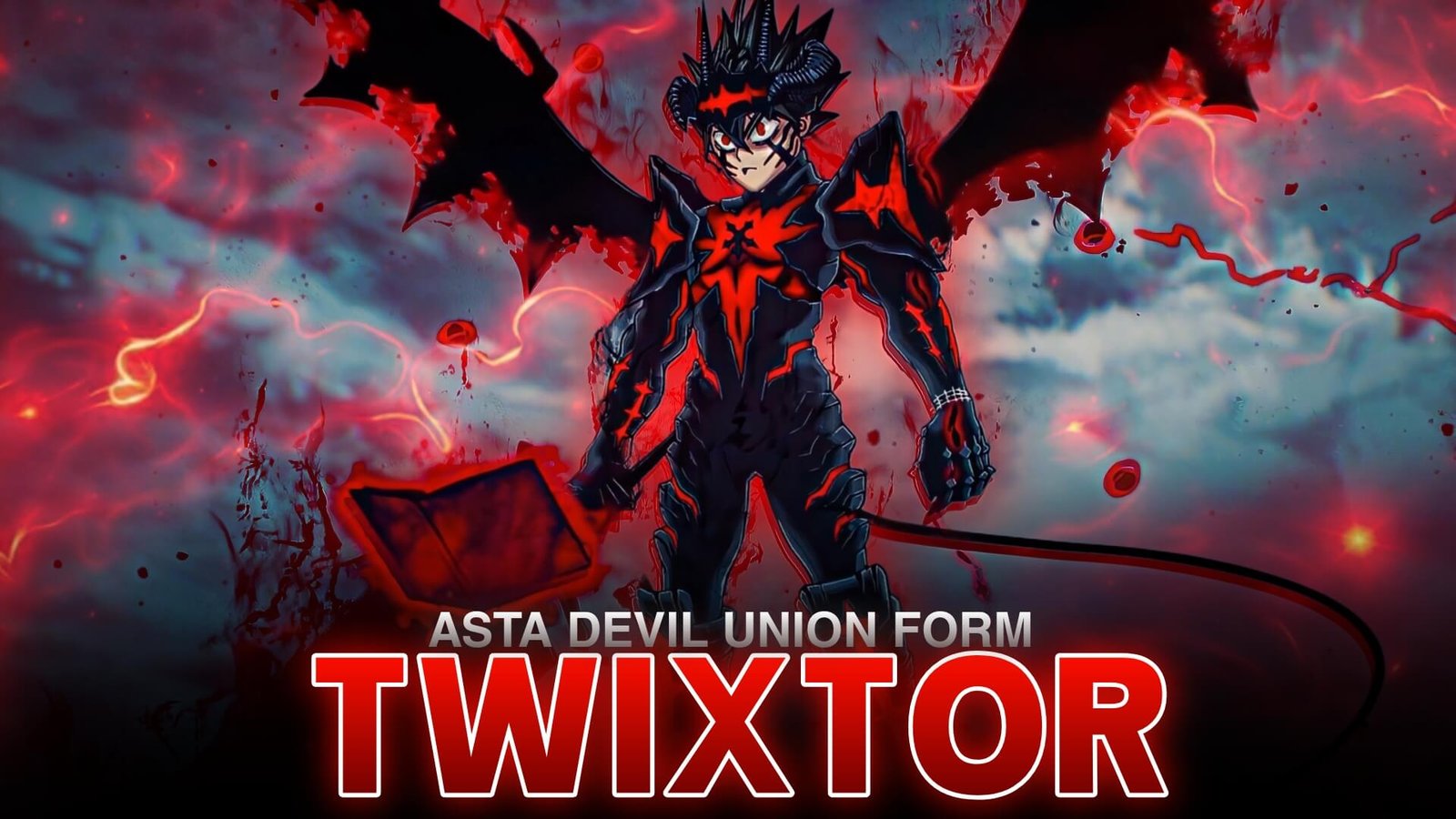
Asta’s Devil Union represents his powerful connection with Liebe, the devil residing within his grimoire. The form emphasizes anti-magic and gives Asta a distinctive appearance, with black markings, dark wings, and a sword-centered fighting style.
For editors, these visual details provide several opportunities to build a recognizable style. Close-ups can emphasize Asta’s expression, while wider shots showcase his transformation and combat movements.
Asta Devil Union Form Twixtor edits work particularly well when the chosen scene has a clear focal point, such as Asta drawing his sword, preparing an attack, or moving toward an opponent.
Best Scenes to Use for Asta Twixtor Edits
Choosing the right moment is just as important as applying effects. Consider these types of scenes when planning your next Black Clover edit.
1. Devil Union Transformation
Transformation shots are useful for building anticipation. Begin with a relatively calm frame, then introduce a gradual zoom or subtle shake as Asta’s form becomes visible.
A short speed ramp can make the transition feel more dramatic without overwhelming the scene.
2. Sword Attacks and Combat
Asta’s sword movements can create strong velocity moments. Try keeping the approach fast, slowing down briefly during a visually clear movement, and returning to full speed near the impact.
This creates contrast and helps the action remain energetic.
3. Character Close-Ups
Close-ups are useful for beat-sync edits and dramatic transitions. A slight zoom, controlled sharpening, and balanced contrast can emphasize the character without distracting from the original artwork.
4. Dark Anti-Magic Visuals
The dark visual style of Devil Union can work well with cooler color grading, deeper shadows, and restrained glow effects. Avoid crushing the blacks so heavily that Asta’s markings, facial features, or sword details disappear.
How to Edit Asta Devil Union Form Twixtor Clips
For a polished result, start by selecting a clean source scene and placing it in your editing timeline. Trim the footage to isolate the movement you want to emphasize.
Next, apply Twixtor in compatible editing software if you want to create interpolated slow motion. Adjust the speed gradually and inspect the result for warped limbs, duplicated edges, or distorted weapons. Fast anime action and overlapping effects can sometimes produce interpolation artifacts.
Once the movement looks clean, build the rest of the edit around the soundtrack.
A practical sequence might look like this:
- Start with Asta’s close-up.
- Build anticipation with a gradual zoom.
- Introduce the transformation or sword movement.
- Use slow motion for a brief, visually clear moment.
- Return to faster playback on the beat.
- Finish with a clean transition or a strong final frame.
For more character footage and editing inspiration, visit the Anime Twixtor collection on TwixtorClips.
Color Grading Ideas for Devil Union Edits
The best color treatment depends on the source scene and your preferred editing style.
Dark cinematic look: Use controlled contrast and deeper shadows while preserving details in Asta’s hair, markings, and sword.
High-energy velocity style: Combine sharper contrast with brief flashes and carefully timed camera movement.
Clean anime look: Keep the original colors recognizable, use moderate sharpening, and avoid excessive glow or saturation.
Try comparing the original frame with the graded version before applying the same settings to every clip.
Tips for Smoother Asta Twixtor Results
Not every action scene is suitable for extreme slow motion. Footage with clear character movement usually provides better conditions for interpolation than scenes containing rapid cuts, heavy effects, or overlapping characters.
For better results:
- Use the cleanest source footage available.
- Apply slow motion selectively rather than to every frame.
- Avoid transitions that hide important action.
- Match speed changes to the music.
- Check difficult frames before exporting.
- Keep visual effects consistent throughout the edit.
These adjustments can make Asta Devil Union Form Twixtor edits feel more deliberate and visually coherent.
Why Black Clover Fans Like Devil Union Edits
Devil Union has a distinctive combination of dark visuals, sword combat, and transformation imagery. These features make the form suitable for both short, beat-driven edits and longer anime music videos.
The strongest edits do not necessarily use the most effects. Clear scene selection, good timing, and a consistent visual style often make a greater difference than adding another layer of glow or shake.
If you’re creating a broader Black Clover project, you can also explore Anime Twixtor clips for additional footage and editing inspiration.
Frequently Asked Questions
What is Asta’s Devil Union form?
Devil Union is a powerful form in Black Clover that draws on Asta’s connection with Liebe and their anti-magic abilities.
What are Asta Devil Union Form Twixtor clips used for?
Editors can use these clips for anime velocity edits, AMVs, transformation edits, slow-motion sequences, and character-focused videos.
Which effects work well with Asta Devil Union edits?
Controlled color grading, subtle glow, camera shake, speed ramps, and beat synchronization can complement the dark visual style.
Can I use Twixtor for Asta fight scenes?
Yes. Twixtor can generate intermediate frames for slow motion, although results depend on the footage and complexity of the movement.
How can I make my Asta edits look smoother?
Start with clean footage, isolate suitable movements, avoid excessive slow motion, and inspect interpolated frames for visual distortions before exporting.
Disclaimer: This article is intended for anime editing information and creative inspiration. Black Clover and its characters belong to their respective rights holders. Ensure you have appropriate permissions when using copyrighted footage.