LINKS
More Post Like This:
Anime Twixtor Clips Available: https://twixtorclips.com/anime-twixtor/
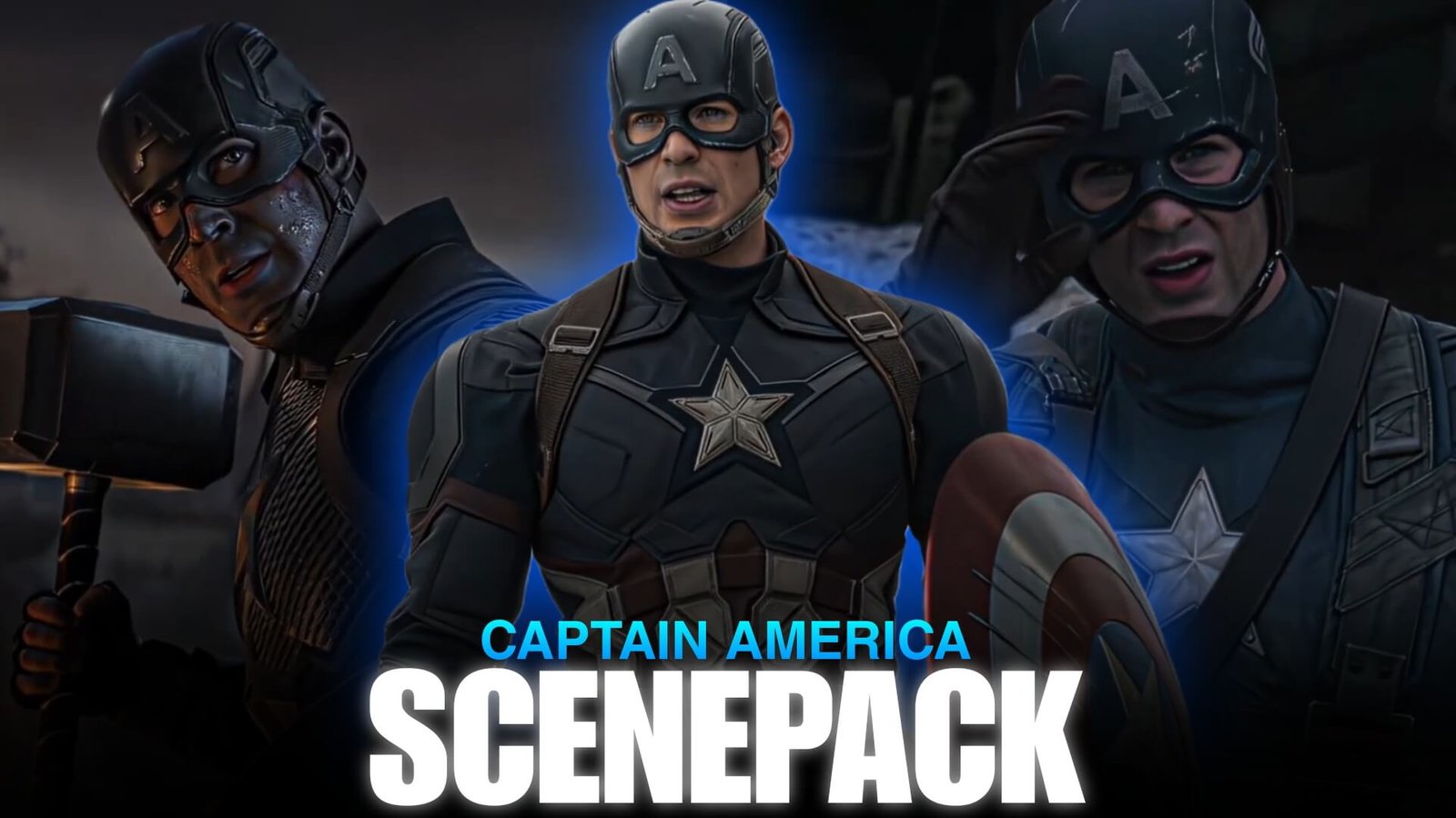
Captain America Scenepack: Best Marvel Clips for Edits
A Captain America Scenepack can be a useful source of cinematic material for editors who want to create Marvel character edits, action montages, velocity videos, and motivational videos. Steve Rogers has a wide range of visual moments, from shield combat and hand-to-hand fights to emotional scenes and large-scale Avengers battles.
His shield also gives editors a recognizable visual element that can be used for match cuts, impact transitions, and movement-based edits.
Editorial Note: This article focuses on editing techniques, scene selection, and creative use of film footage. It does not host or distribute copyrighted Marvel footage.
What to Include in a Captain America Scenepack
A well-organized Captain America Scenepack should contain different types of footage rather than only action scenes.
Useful categories include:
- Steve Rogers close-ups
- Shield throws
- Shield blocking
- Hand-to-hand combat
- Running shots
- Avengers battle scenes
- Motorcycle sequences
- Emotional moments
- Character entrances
- Team-up scenes
- Haki-like impact moments
- Heroic poses
Having different types of shots gives you more freedom when creating different edit styles.
Steve Rogers Close-Ups
Close-ups are useful for establishing the character before moving into action.
You can collect shots showing:
- Steve’s face
- Eyes
- Determined expressions
- Suit details
- Shield close-ups
- Reactions
- Walking shots
A simple cinematic opening could be:
Steve close-up → shield detail → face → walking shot → action transition
These clips can also be slowed down slightly to create a dramatic introduction.
Shield Throws and Combat
The shield is one of Captain America’s most recognizable visual elements.
Shield movements provide clear directional motion, which makes them useful for transitions.
For example:
Shield preparation → throw → shield movement → impact → Steve reaction
You can synchronize the shield throw with a beat or sound effect.
A directional shield movement can also be matched with another action shot to create a seamless transition.
Hand-to-Hand Fight Scenes
Captain America’s close-range combat provides plenty of movement for velocity edits.
Look for:
- Punches
- Kicks
- Dodges
- Blocks
- Takedowns
- Shield strikes
- Running attacks
Instead of using an entire fight sequence, select the strongest individual movements and arrange them around your music.
This can make a Captain America Scenepack edit feel faster without requiring every frame to be heavily edited.
Captain America Heroic Moments
Not every edit needs to be focused on combat.
Steve Rogers also has many cinematic moments that work well for motivational or character-focused edits.
Consider using:
- Standing shots
- Walking scenes
- Shield-up poses
- Team introductions
- Looking toward an opponent
- Battlefield entrances
- Emotional reactions
These shots can provide breathing room between action sequences.
Avengers Team-Up Clips
Captain America footage becomes even more useful when combined with other Avengers.
Team-up shots can be used as transitions or the climax of a Marvel montage.
A possible sequence is:
Captain America → Iron Man → Thor → Avengers group shot → Captain America
This works especially well for edits focused on the larger Marvel universe.
Creating a Captain America Velocity Edit
A velocity edit can be built around shield movement and combat.
Opening
Start with a slow Steve Rogers close-up.
Build-Up
Introduce the shield and a short movement.
Acceleration
Increase speed as Steve begins moving.
Impact
Use a shield strike, punch, or major action moment on the beat.
Slowdown
Return briefly to slow motion after the impact.
Ending
Finish with a heroic pose or shield shot.
This creates a clear rhythm instead of keeping every section at maximum speed.
Twixtor Tips
Twixtor can be useful for selected slow-motion sections of a Captain America Scenepack edit.
Shots with relatively clear movement generally work better.
Pay attention to:
- Shield edges
- Hands
- Face
- Clothing
- Fast camera movement
- Background objects
- Explosions
Avoid forcing extreme slow motion onto complicated action scenes if the interpolation produces visible artifacts.
A practical workflow is:
Normal speed → speed ramp → Twixtor → impact → normal speed
Music Choices
Captain America edits can support several different music styles.
Cinematic
Good for heroic and emotional scenes.
Orchestral
Useful for large Avengers moments.
Phonk
Works well for short-form action and velocity edits.
Rock
Can complement shield combat and fast fight sequences.
Electronic
Useful for beat-synced action edits.
Choose music based on the story you want the edit to tell rather than simply matching the fastest scenes.
Color Grading
A cinematic grade can help unify footage from different scenes and films.
You can experiment with:
- Contrast
- Exposure
- Curves
- Highlights
- Shadows
- Saturation
- Sharpening
Keep skin tones natural and avoid pushing the colors too far.
For action edits, slightly stronger contrast can make shield movements and silhouettes more noticeable.
For emotional edits, a softer grade may work better.
Transition Ideas
Shield Wipe
Use the shield crossing the frame as a natural transition.
Punch Cut
Cut when a punch connects and continue the movement in another scene.
Match Movement
Match Steve’s running or turning direction with the next shot.
Impact Flash
Use a brief impact frame to transition between scenes.
Hero Pose Cut
Move from a close-up into a wider heroic shot on the beat.
These techniques can make a Captain America Scenepack feel more cinematic without relying on excessive presets.
Captain America Edit Concepts
Shield Edit
Build the entire video around shield throws, catches, blocks, and strikes.
Steve Rogers Character Edit
Combine emotional scenes, close-ups, action, and heroic moments.
Winter Soldier Style Edit
Focus on darker combat, hand-to-hand sequences, and shield action.
Avengers Edit
Combine Captain America with other Avengers and use Steve as the central character.
Motivational Edit
Use Steve’s dialogue, determined expressions, training, and heroic moments with cinematic music.
Organizing Your Scenepack
If you are organizing footage you have the legal right to use, divide the material into folders.
Steve Rogers
- Close-ups
- Walking
- Reactions
- Emotional scenes
- Heroic poses
Shield
- Throws
- Catches
- Blocks
- Strikes
- Close-ups
Combat
- Punches
- Kicks
- Dodges
- Battles
- Impact shots
Avengers
- Team-ups
- Group shots
- Battle scenes
- Character interactions
Cinematic
- Establishing shots
- Slow-motion moments
- Backgrounds
- Emotional scenes
This makes it easier to locate the right footage while editing.
Common Editing Mistakes
When using a Captain America Scenepack, avoid making every scene look identical.
Common problems include:
- Too much camera shake
- Excessive Twixtor
- Overusing slow motion
- Heavy sharpening
- Excessive glow
- Too many flashes
- Random transitions
- Over-saturated colors
- Cutting action sequences too quickly
- Adding effects that hide the original footage
Captain America’s scenes already contain strong action choreography, so clean timing and good clip selection can often make a bigger difference.
FAQ
What is a Captain America Scenepack?
A Captain America Scenepack is an organized collection of Captain America and Steve Rogers footage used as source material for creative video editing when the editor has the appropriate rights to use the footage.
What clips should a Captain America Scenepack contain?
Useful categories include shield throws, combat scenes, close-ups, emotional moments, heroic poses, Avengers team-ups, and cinematic shots.
Is Captain America good for velocity edits?
Yes. Shield throws, punches, running sequences, and combat movements provide clear points for speed ramps and beat synchronization.
Can I use Twixtor on Captain America footage?
Yes, on suitable shots. Clear movements generally produce better results than scenes with complicated overlapping objects or camera movement.
What software can I use?
You can create Captain America edits using After Effects, Premiere Pro, DaVinci Resolve, CapCut, or another video editor with speed and visual-effects tools.
How should I organize the scenepack?
Separate clips into categories such as Steve Rogers, shield, combat, Avengers, and cinematic footage. This makes the material easier to search while editing.
Final Thoughts
A Captain America Scenepack can provide a strong foundation for Marvel edits because Steve Rogers has a wide range of action, emotional, cinematic, and team-based footage.
For a velocity edit, focus on shield movements, punches, running, and impact frames. For a cinematic character edit, combine close-ups, emotional moments, heroic poses, and carefully selected action scenes.
The shield can also become the visual thread connecting different parts of the edit. With clean transitions, controlled Twixtor, balanced color grading, and music synchronization, you can create a polished Captain America edit without overwhelming the original footage.
Disclaimer
This article is for editing inspiration and informational purposes only. Captain America, Steve Rogers, Marvel characters, films, and related footage are protected by their respective copyright holders. This site does not host or distribute copyrighted footage. Use footage you have the legal right or permission to edit and follow applicable copyright and platform policies.

Get Exclusive CC & Quality Setting Here : https://payhip.com/QualityCCLab