LINKS
Avengers Doomsday Trailer Twixtor: Best Marvel Trailer Scenes for Edits
Turn Trailer Moments Into a Cinematic Edit
Avengers Doomsday Trailer Twixtor is a strong topic for editors who want to build a dramatic Marvel montage around character reveals, suspense, and large-scale superhero storytelling. Unlike a full fight sequence, a trailer combines short shots, atmospheric pauses, dialogue, and sudden visual changes.
That makes trailer editing less about slowing every action and more about choosing the right frames. A close-up can establish tension, a character reveal can create anticipation, and a final dramatic shot can deliver the payoff.
For accurate scene selection, start with the official Avengers: Doomsday trailer and choose moments from the footage you are authorized to use.
Editorial Note: This article covers editing techniques and trailer scene analysis. It does not host or distribute copyrighted movie footage. Use source material you have the right to edit and follow applicable copyright and platform policies.
Doctor Doom Gives the Edit Its Dark Center
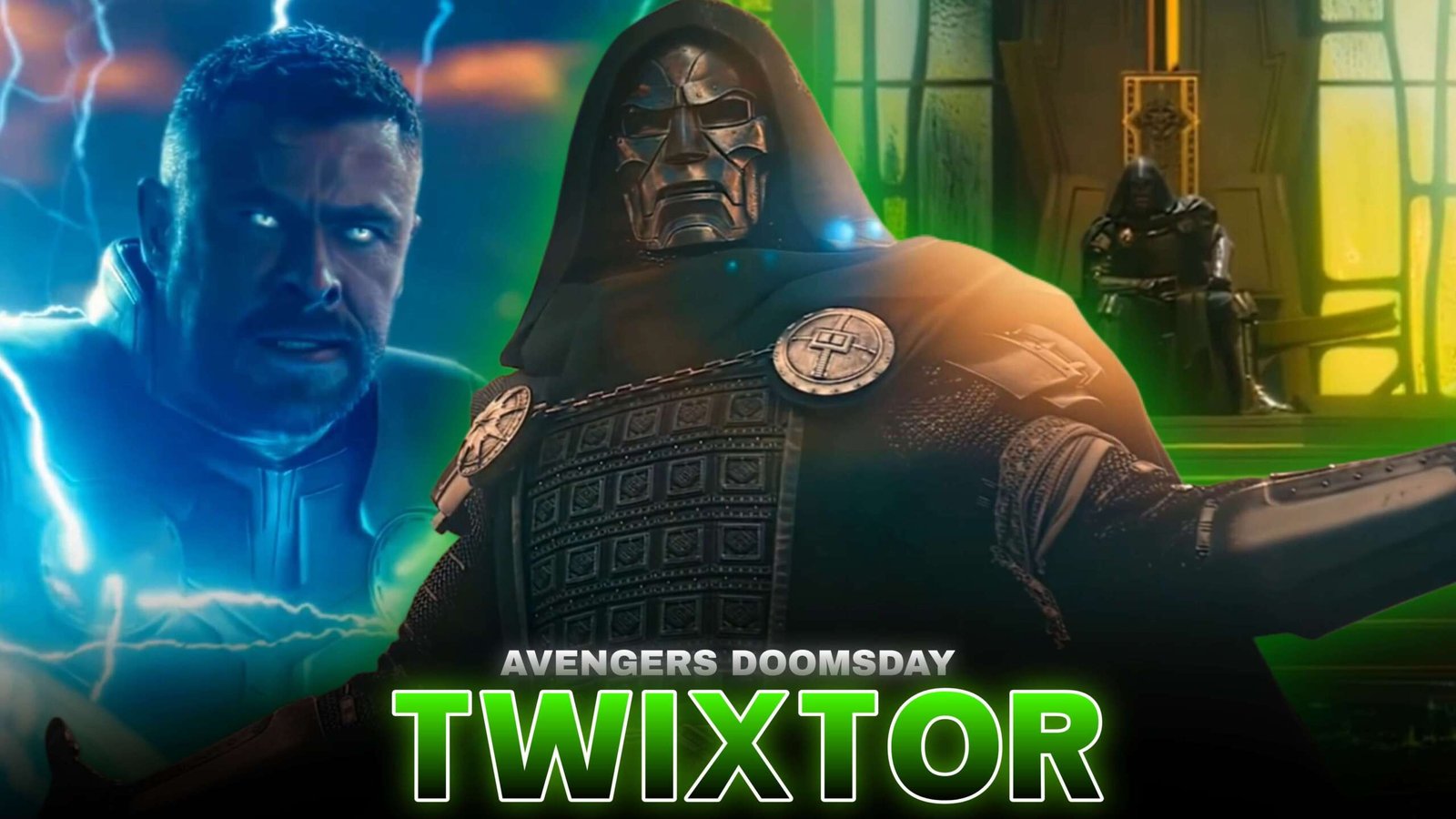
A major visual direction for Avengers Doomsday Trailer Twixtor is Doctor Doom’s imposing appearance, including his mask, green cloak, and darker atmosphere. These elements lend themselves to a villain-focused edit with deliberate pacing and restrained visual effects.
Try beginning with a dark frame, revealing Doom gradually, and letting the soundtrack build before introducing faster cuts. The goal is to make the reveal feel important rather than rushing immediately into an effects-heavy montage.
Hero Reveals Work Better With Breathing Room
The trailer brings together heroes from different corners of the Marvel universe. Instead of placing every character shot back-to-back, use short pauses to distinguish one reveal from another.
For Avengers Doomsday Trailer Twixtor, try this sequence:
dark opening → hero close-up → rising tension → villain reveal → rapid montage → final impact
This structure works well for short-form edits because the audience can follow the buildup even when the video contains many characters.
Apply Twixtor to Clear Movement
Trailer footage often contains quick cuts, dramatic camera moves, and short action shots. Not every frame is suitable for interpolation.
With Avengers Doomsday Trailer Twixtor, prioritize shots with visible movement, such as a character turning, walking, raising a weapon, or moving into a dramatic pose. A brief slowdown before a reveal can add emphasis, while normal-speed footage preserves the original rhythm.
Avoid excessive slow motion on heavily blurred frames or rapid camera movements, which can produce warping and ghosting.
For more technical help, the site’s How to Make Twixtor Clips guide covers source quality and interpolation techniques.
Match the Music to the Trailer’s Tension
A good Avengers Doomsday Trailer Twixtor edit can use cinematic percussion, low bass, rising strings, or atmospheric sound design.
Use quieter sections for close-ups and pauses. Save the strongest beat for a major reveal or the point where the montage becomes faster.
Don’t add a flash to every cut. A few carefully timed impacts often create a stronger result than constant visual noise.
Color Grade for a Dark Marvel Atmosphere
A villain-centered edit can benefit from deeper shadows, controlled highlights, and slightly cooler tones. However, keep mask details and facial features visible instead of crushing the blacks.
For Avengers Doomsday Trailer Twixtor, consider using a consistent grade across the entire montage. If the trailer switches between dark environments and bright hero shots, balance each scene without making the transitions feel jarring.
Subtle motion blur, light sharpening, and restrained glow can support the look. Excessive shake and saturation can distract from the original cinematography.
A 25-Second Trailer Edit Blueprint
Try arranging Avengers Doomsday Trailer Twixtor footage like this:
- 0–3 seconds: atmospheric opening
- 3–7 seconds: first hero reveal
- 7–11 seconds: close-up or movement slowed briefly
- 11–16 seconds: Doctor Doom reveal or dramatic moment
- 16–22 seconds: faster character montage
- 22–25 seconds: final shot on the strongest musical beat
Treat this as a flexible editing plan, not a claim about the trailer’s exact shot order.
Three Different Edit Styles
Doctor Doom edit: dark grading, deliberate pacing, mask close-ups, and bass-heavy music.
Avengers ensemble edit: character reveals, matched cuts, and a gradual increase in speed.
Cinematic trailer edit: atmospheric opening, selective slow motion, dramatic pauses, and a strong final beat.
These different approaches help Avengers Doomsday Trailer Twixtor content avoid looking like the same montage with different effects.
FAQ
What scenes work best for Avengers Doomsday trailer edits?
Character reveals, Doctor Doom close-ups, dramatic poses, and shots with clear movement can all work well.
Should I slow down the whole trailer?
No. Selective slow motion creates contrast and helps key moments stand out.
How can I make the edit smoother?
Use high-quality source footage, moderate speed changes, and careful interpolation. Inspect frames for ghosting or distortion before exporting.
Final Thoughts
Avengers Doomsday Trailer Twixtor works best when the edit treats the trailer as a sequence of reveals rather than a collection of random shots. Build tension, give important characters room on screen, and use Twixtor only where movement benefits from it.
With consistent grading, well-timed music, and restrained effects, Avengers Doomsday Trailer Twixtor can become the foundation for a polished Marvel fan edit.
Disclaimer: Avengers: Doomsday, Marvel characters, and related footage belong to their respective copyright holders. This article is provided for editing education and creative inspiration. Use source footage responsibly and follow applicable copyright laws and platform policies.