LINKS
Choso Twixtor Clips: Best Scenes for Anime Editors
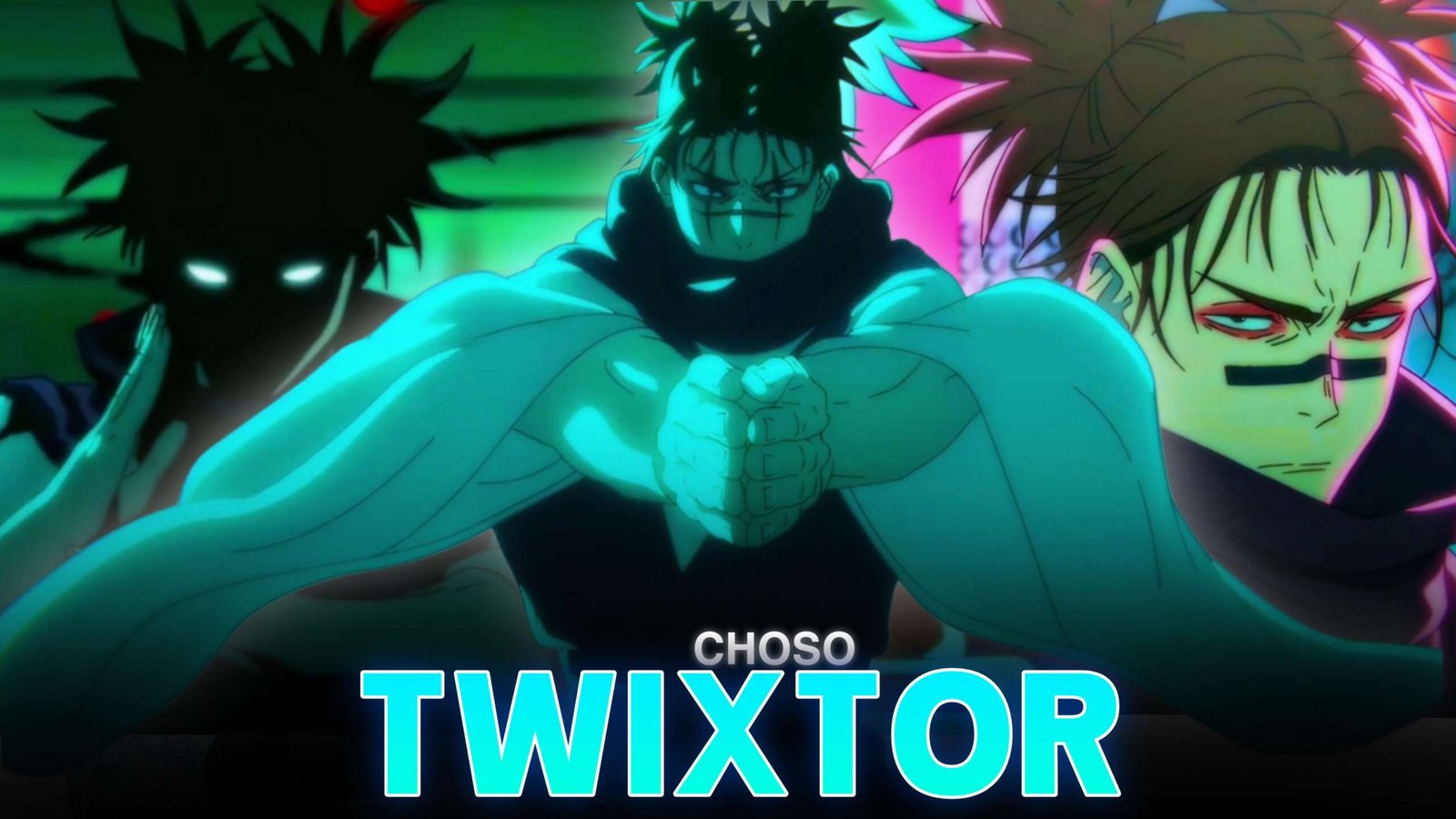
Choso stands out in Jujutsu Kaisen because of his Blood Manipulation techniques, distinctive appearance, and emotional connection to his brothers. His fighting style combines precise ranged attacks with intense close-range combat, giving editors plenty of opportunities to create dramatic anime edits.
Choso Twixtor Clips are suitable for AMVs, velocity edits, Instagram Reels, TikTok videos, and YouTube Shorts. Whether you want to highlight a fast projectile or create a darker character montage, his scenes offer a strong balance of movement and atmosphere.
When planning a Choso edit, I’d build the sequence around one signature technique, then use close-ups and shorter action shots to create momentum. This helps the final video feel connected rather than overloaded with effects.
Why Choso Is Perfect for Twixtor Edits
Choso’s Blood Manipulation produces visually distinctive attacks, including Piercing Blood and Supernova. His movements also provide clear moments for speed changes, particularly when he prepares an attack or shifts into close combat.
Here are some useful elements to highlight in Choso Twixtor Clips:
- Piercing Blood: Build tension before the high-speed projectile is released.
- Supernova: Use the expanding attack as a dramatic visual climax.
- Choso vs Yuji: Combine hand-to-hand combat with quick velocity changes.
- Flowing Red Scale: Emphasize his enhanced movement with carefully timed cuts.
- Emotional close-ups: Add contrast between action sequences and character-focused moments.
Best Choso Scenes for Twixtor Editing
1. Choso vs Yuji Itadori
Their intense battle offers a mixture of close-range exchanges, counters, and Blood Manipulation. Use fast cuts during the combat, then briefly slow a key dodge or impact to emphasize the movement.
For more character-focused inspiration, visit Yuji Itadori Twixtor 4K.
2. Piercing Blood
This signature technique is particularly effective for a velocity edit. Start with the preparation, slow the moment just before release, and return to faster playback as the projectile moves forward.
Choso Twixtor Clips featuring this technique work well with a gradual musical build followed by a sharp beat drop.
3. Supernova
Supernova creates a burst of blood projectiles that can serve as the climax of a short edit. Keep the effect visible by avoiding excessive glow, blur, or camera shake. A clean transition immediately after the attack can make the sequence feel more impactful.
4. Choso’s Emotional Side
Choso’s loyalty to his brothers adds depth beyond his combat abilities. Combining a quiet expression with a sudden transition into action can create a more story-driven edit.
How to Make Smooth Choso Twixtor Clips
- Select clear footage: Choose shots where Choso’s body and attack movements are easy to follow.
- Trim the scene: Focus on one technique or a short exchange instead of slowing an entire fight.
- Apply Twixtor: Begin with a moderate speed reduction and inspect frames around fast-moving blood effects.
- Create a velocity ramp: Ease into slow motion before the attack and accelerate at the release or impact.
- Sync with music: Align major movements with beats, bass drops, or changes in the soundtrack.
- Finish the grade: Adjust contrast and sharpening without obscuring the red effects.
For smoother Choso Twixtor Clips, avoid extreme slow motion when the frame contains multiple moving projectiles. If interpolation creates distortion, shorten the slowed section or use a less aggressive speed setting.
Color Grading and Effects
Choso’s blood techniques already provide strong color contrast, so a restrained editing style usually works best.
- Red tones: Keep blood effects rich without oversaturating the entire image.
- Contrast: Preserve facial details and dark clothing.
- Motion blur: Apply selectively to fast movements.
- Camera shake: Reserve it for significant impacts.
- Transitions: Use clean cuts, controlled zooms, and subtle flashes.
The goal is to emphasize the original animation, not bury it under effects.
Common Editing Mistakes to Avoid
- Slowing every movement equally.
- Overusing red overlays and glow.
- Ignoring interpolation artifacts around projectiles.
- Adding too many transitions between attacks.
- Cutting away before a major impact registers.
A focused sequence with varied pacing will usually look cleaner than a montage packed with constant effects.
Frequently Asked Questions
Which Choso scenes are best for Twixtor edits?
Choso vs Yuji, Piercing Blood, Supernova, and Flowing Red Scale scenes are strong options for action-focused edits.
How can I make Choso slow motion smoother?
Use clear source footage, moderate speed reductions, and frame-by-frame checks around fast-moving attacks.
Why is Choso popular for anime edits?
His Blood Manipulation techniques, distinctive visual design, combat style, and emotional character development make him versatile for both action edits and character tributes.
Final Thoughts
Choso Twixtor Clips give editors plenty of ways to combine intense combat with cinematic storytelling. Focus on Piercing Blood, Supernova, and carefully selected close-ups, then use velocity ramps and subtle effects to support the animation. For more editing inspiration, explore the Choso Twixtor 4K page and the Anime Twixtor collection.
Disclaimer: All anime/movie footage referenced belongs to its original creators, animation studios, and copyright holders. This content is provided for editing and educational fan-use purposes only, under fair use principles. No copyright infringement is intended. All rights remain with the original owners.