LINKS
GET EXCLUSIVE FREE TWIXTOR CLIPS
Get Exclusive CC & Quality Setting Here : https://payhip.com/QualityCCLab
Get Anime Clips Raw For Free: https://twixtorclips.com/anime-raw-clips/
Exclusive Anime Twixtor Clips For Free: https://twixtorclips.com/anime-twixto
GTA VI Trailer Twixtor: Best Cinematic Scenes for Edits
GTA VI Trailer Twixtor edits have quickly become a trend among gaming editors thanks to the trailer’s cinematic visuals, realistic lighting, and smooth camera work. From breathtaking cityscapes to high-speed action and emotional character moments, the trailer offers countless sequences that work well for Twixtor edits, TikTok videos, Instagram Reels, and YouTube Shorts.
Rather than relying on heavy effects, the key to a great GTA VI Trailer Twixtor edit is emphasizing the trailer’s cinematic pacing, dynamic camera movement, and dramatic atmosphere through carefully timed slow motion and music synchronization.
Note: When creating edits, always use footage you have the right to use and follow the applicable copyright rules of the game publisher and the platform where you share your content.
Why the GTA VI Trailer Is Perfect for Twixtor
The trailer is packed with smooth animations and cinematic transitions that make it ideal for professional edits.
Editors love it because it features:
- Ultra-realistic graphics
- Smooth camera movement
- Dynamic lighting
- Beautiful sunset and neon scenes
- High-speed driving shots
- Cinematic character moments
These elements create excellent opportunities for clean Twixtor edits.
Best GTA VI Trailer Scenes for Twixtor Editing
Lucia’s Introduction
Lucia’s first appearance is one of the trailer’s most memorable moments.
Best editing moments include:
- Character close-ups
- Prison sequence
- Facial expressions
- Camera transitions
- Cinematic lighting
Editing Tip:
Slow down the introduction before transitioning into faster action scenes for a dramatic opening.
Vice City Cinematic Shots
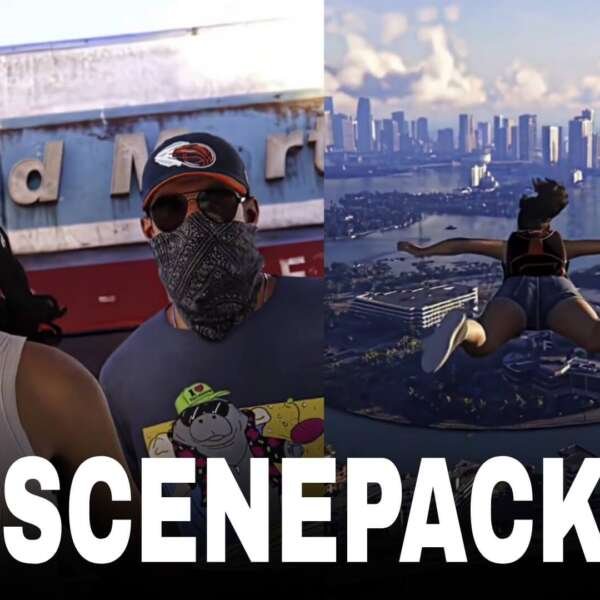
The city itself becomes a major visual highlight.
Perfect clips include:
- Skyline views
- Beach scenes
- Neon streets
- Traffic sequences
- Sunset landscapes
These shots are ideal as transitions between action scenes.
Car Chase and Driving Sequences
The trailer features smooth vehicle movement that works perfectly with velocity edits.
Highlight moments include:
- Sports cars
- Highway driving
- Camera pans
- Fast turns
- Dynamic tracking shots
These scenes pair well with energetic music.
Action and Character Moments
Several dramatic sequences provide excellent cinematic material.
Focus on:
- Character interactions
- Explosions
- Fast camera movement
- Emotional close-ups
- Climactic trailer moments
These clips create impactful endings for short-form edits.
Editing Tips for a Smooth GTA VI Trailer Twixtor
Use the Highest-Quality Source Available
High-resolution footage helps Twixtor preserve lighting, reflections, and motion detail.
Apply Twixtor Strategically
Reserve slow motion for:
- Character introductions
- Camera pans
- Vehicle launches
- Explosions
- Cinematic reveals
Avoid slowing every scene to maintain momentum.
Synchronize With Music
Excellent sync points include:
- Trailer transitions
- Beat drops
- Vehicle acceleration
- Character reveals
- Final cinematic shots
Strong beat synchronization makes the edit feel polished.
Keep Effects Minimal
The trailer already includes exceptional visual effects and lighting. Clean transitions and subtle velocity changes often produce the best results.
Color Grading Ideas
Enhance your GTA VI Trailer Twixtor with:
- Miami-inspired neon colors
- Warm sunset tones
- High-contrast cinematic grading
- Soft bloom
- Subtle film grain
These styles complement the trailer’s vibrant atmosphere.
Common Mistakes to Avoid
When editing a GTA VI Trailer Twixtor, avoid:
- Excessive slow motion
- Too many transition effects
- Heavy motion blur
- Poor beat synchronization
- Low-resolution footage
Simple, well-timed edits often have the greatest impact.
Why the GTA VI Trailer Is Popular Among Editors
The GTA VI trailer blends realistic visuals, expressive characters, and cinematic storytelling into a highly polished presentation. Its detailed environments, smooth camera work, and varied pacing give editors plenty of creative opportunities for short-form and long-form projects.
A well-crafted GTA VI Trailer Twixtor highlights these cinematic strengths while keeping the edit clean, engaging, and visually cohesive.
FAQ
What are the best GTA VI Trailer scenes for Twixtor edits?
Lucia’s introduction, Vice City skyline shots, driving sequences, and the trailer’s cinematic action moments are among the best choices.
Why is the GTA VI Trailer popular for edits?
Its realistic graphics, cinematic direction, smooth camera movement, and dynamic action make it an excellent source for creative video edits.
How can I make my GTA VI Trailer Twixtor smoother?
Use high-quality footage, apply Twixtor to scenes with clean motion, synchronize key moments with your soundtrack, and avoid excessive visual effects.
Final Thoughts
A great GTA VI Trailer Twixtor edit combines smooth slow motion, cinematic pacing, and carefully timed music synchronization. By focusing on character reveals, cityscapes, and action sequences, you can create visually striking edits that showcase the trailer’s cinematic quality while respecting copyright and platform guidelines.
For more editing inspiration, explore our guides on cinematic velocity editing, gaming edit transitions, slow-motion editing techniques, and color grading for gaming edits.