LINKS
GET EXCLUSIVE FREE TWIXTOR CLIPS
Get Exclusive CC & Quality Setting Here : https://payhip.com/QualityCCLab
Get Anime Clips Raw For Free: https://twixtorclips.com/anime-raw-clips/
Exclusive Anime Twixtor Clips For Free: https://twixtorclips.com/anime-twixto
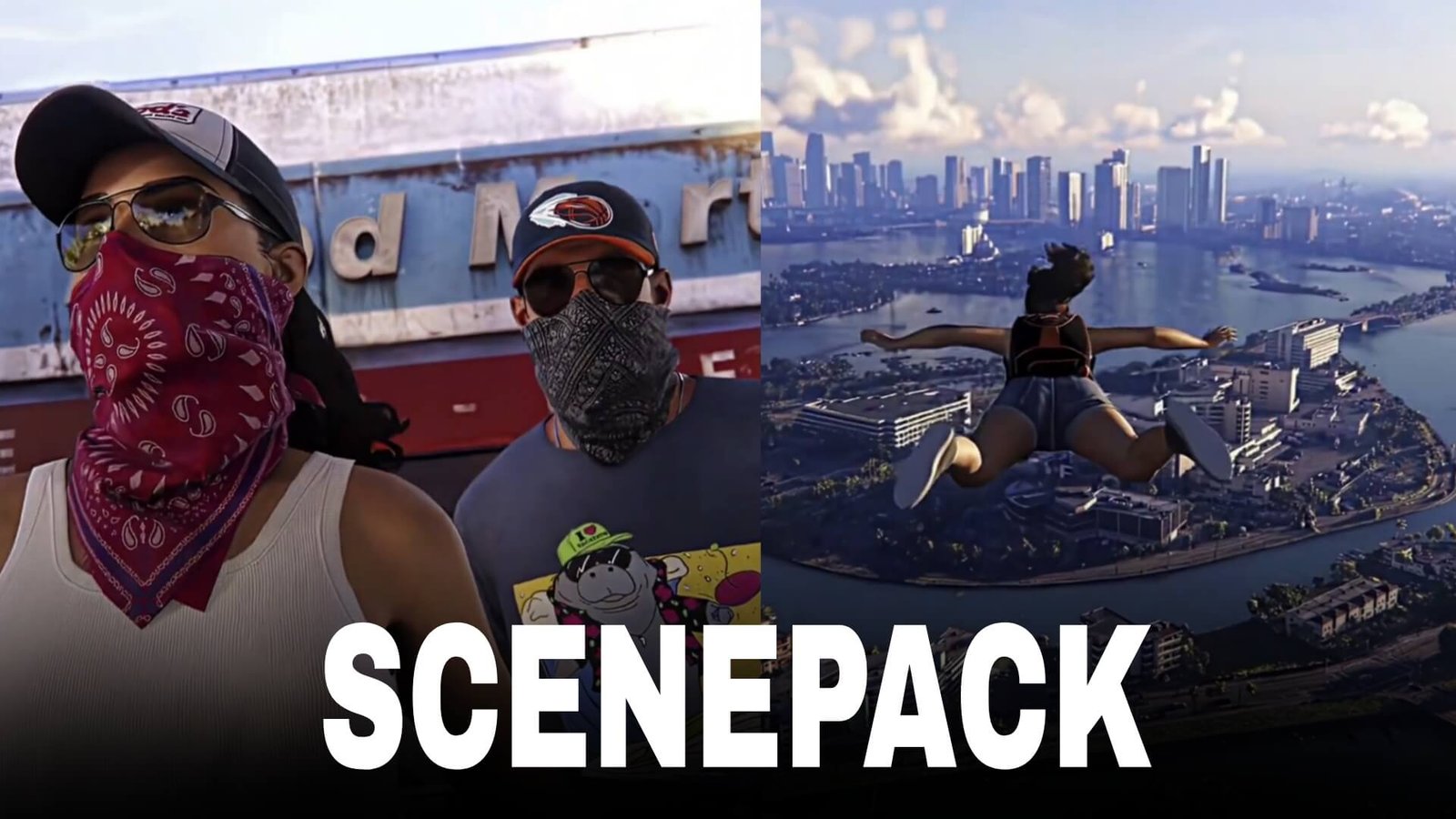
GTA 6 Scenepack: Best Grand Theft Auto VI Scenes for Edits
GTA 6 is one of the most anticipated games in the Grand Theft Auto franchise, bringing players back to Vice City with protagonists Jason and Lucia. Its cinematic presentation, character moments, vehicles, action sequences, and detailed environments provide plenty of material for creative video edits.
A GTA 6 scenepack can organize different types of scenes into categories, making it easier for editors to create cinematic edits, gaming montages, Shorts, Reels, TikTok videos, and fan-made AMVs.
Editorial Note: This article focuses on editing inspiration and scene organization. It does not host or distribute copyrighted GTA 6 footage. Use footage you have the right to use and follow applicable copyright and platform policies.
Why GTA 6 Is Great for Scenepacks
The game’s cinematic visuals provide many different types of footage that can be useful for editors.
Popular scene categories include:
- Jason scenes
- Lucia scenes
- Jason and Lucia scenes
- Vice City locations
- Car scenes
- Driving sequences
- Action scenes
- Character close-ups
- Night scenes
- Beach scenes
- Police chase scenes
- Gameplay moments
- Cinematic shots
Best GTA 6 Scenes for Editing
Jason Scenes
Jason is one of the central characters of GTA 6 and provides plenty of material for character-focused edits.
Useful shots include:
- Jason close-ups
- Walking scenes
- Driving
- Action sequences
- Weapon scenes
- Character interactions
A character-focused edit can start with a close-up before transitioning into gameplay or action footage.
Lucia Scenes
Lucia is another major character and can be featured in a dedicated section of your scenepack.
Look for:
- Lucia close-ups
- Driving scenes
- Action sequences
- Character interactions
- Cinematic shots
- Night scenes
You can also combine Jason and Lucia scenes for a duo edit.
Jason & Lucia Scenes
Scenes featuring both characters can work especially well for cinematic edits.
A simple sequence could be:
Jason close-up → Lucia close-up → both characters → driving → action scene → final cinematic shot
Use music changes to separate different sections.
GTA 6 Car Scenes
Vehicles are an important part of the GTA experience and provide excellent material for editing.
Include:
- Car close-ups
- Driving shots
- Vehicle entrances
- Highway scenes
- City driving
- Car chases
- Cinematic vehicle shots
Slow-motion sections can emphasize vehicle movement and camera angles.
Vice City Scenes
The updated Vice City environment can provide excellent establishing shots.
Useful footage includes:
- City streets
- Beach scenes
- Nightlife
- Neon-lit areas
- Highways
- Buildings
- Sunsets
- Water and coastal areas
These shots can be used as transitions between character and action scenes.
How to Organize a GTA 6 Scenepack
A clean folder structure makes editing much easier:
GTA 6 Scenepack
│
├── Jason
├── Lucia
├── Jason & Lucia
├── Cars
├── Driving
├── Action
├── Police Chase
├── Vice City
├── Beach
├── Night Scenes
├── Close Ups
├── Cinematic Shots
└── Gameplay
This allows editors to quickly find the type of scene they need.
Editing Tips for GTA 6
Use Different Camera Angles
Include a mixture of:
- Wide shots
- Close-ups
- Low-angle shots
- Vehicle shots
- Character shots
- Environmental shots
This gives your scenepack more versatility.
Use Cinematic Transitions
You can transition between scenes using:
- Camera movement
- Vehicle movement
- Match cuts
- Beat cuts
- Speed ramps
- Zoom transitions
Use Slow Motion Carefully
Slow motion can work particularly well for:
- Car movement
- Character walks
- Action moments
- Explosions
- Camera reveals
- Cinematic close-ups
Music Ideas
GTA 6 edits can work with:
- Phonk
- Trap
- Hip-hop
- Electronic music
- Synthwave
- Cinematic tracks
- Dark atmospheric music
Match major scene changes with strong beats.
Color Grading Ideas
For a cinematic GTA 6 scenepack, experiment with:
- High contrast
- Controlled saturation
- Subtle sharpening
- Mild bloom
- Film grain
- Cinematic shadows
Different grades can also be used for daytime Vice City scenes versus darker nighttime sequences.
Common Editing Mistakes
Avoid:
- Excessive transitions
- Too much camera shake
- Extreme sharpening
- Excessive glow
- Too many effects
- Poor-quality clips
- Repeating the same camera angle
A good scenepack should prioritize clean, versatile scenes that editors can easily reuse.
FAQ
What should a GTA 6 scenepack include?
A useful scenepack can include Jason, Lucia, car scenes, driving, action, Vice City environments, close-ups, cinematic shots, and gameplay moments.
Is GTA 6 good for cinematic edits?
Yes. Its character-focused scenes, vehicles, environments, and cinematic presentation provide plenty of material for creative gaming edits.
How should I organize a GTA 6 scenepack?
Separate clips into categories such as Jason, Lucia, Cars, Driving, Action, Vice City, Close-Ups, and Cinematic Shots.
Final Thoughts
A GTA 6 scenepack can provide a versatile collection of scenes for creating cinematic gaming edits. Organizing Jason, Lucia, vehicles, action sequences, Vice City locations, and close-ups into separate categories makes it much easier to build polished edits.
For more gaming editing content, explore GTA 6 Extended Look Scenepack, GTA 5 Scenepack, Red Dead Redemption 2 Scenepack, Arthur Morgan Twixtor Clips, and Leon Scott Kennedy Twixtor Clips.