LINKS
Get Exclusive CC & Quality Setting Here : https://payhip.com/QualityCCLab
GET EXCLUSIVE FREE TWIXTOR CLIPS
Get Anime Clips Raw For Free: https://twixtorclips.com/anime-raw-clips/
Exclusive Twixtor Clips For Free: https://twixtorclips.com
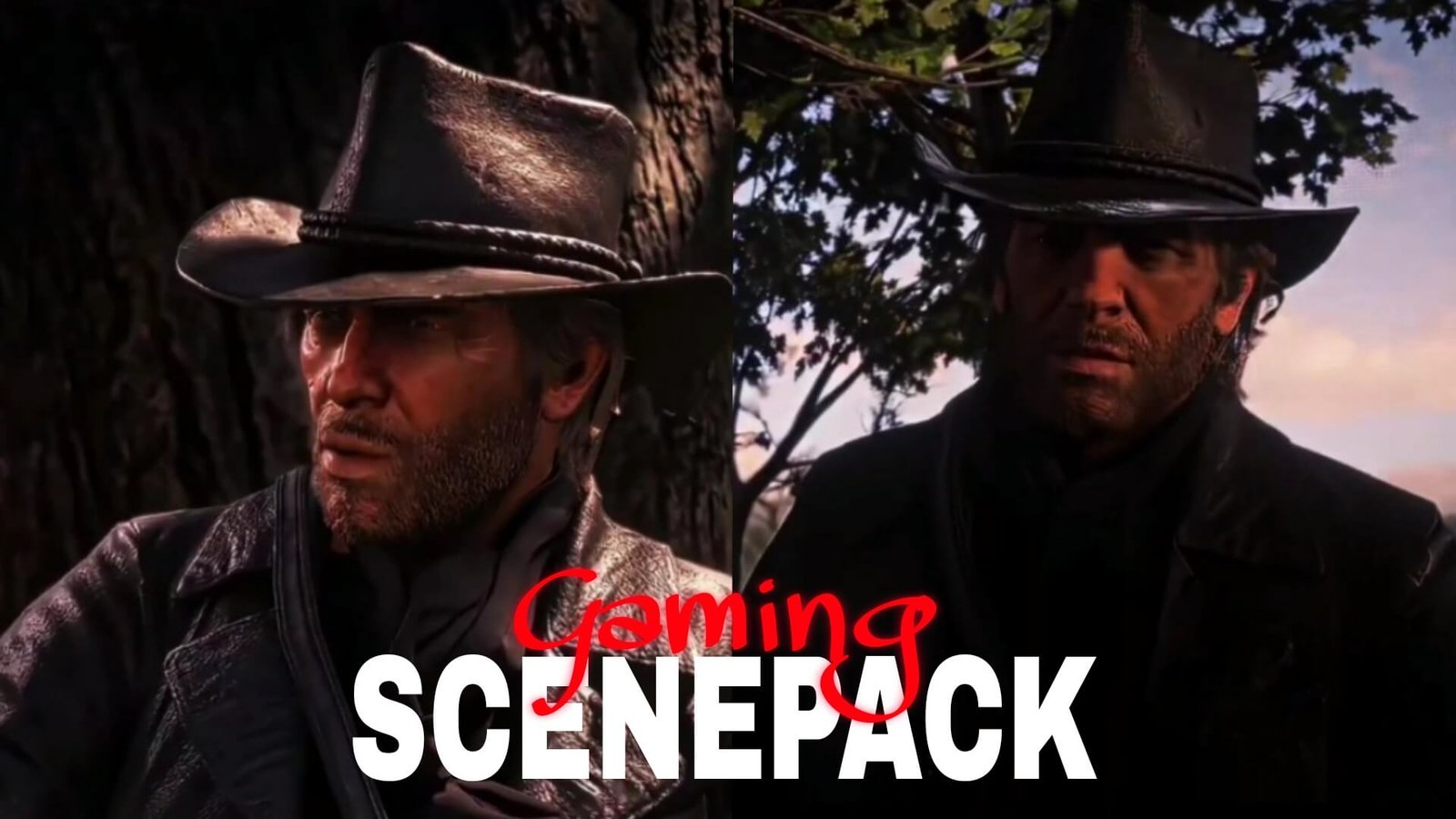
Arthur Morgan Twixtor Clips: Best RDR2 Moments for Cinematic Edits
Arthur Morgan is the central protagonist of Red Dead Redemption 2 and one of the most memorable characters in modern gaming. His distinctive appearance, intense gunfights, horseback sequences, emotional story moments, and memorable dialogue make Arthur Morgan Twixtor clips a popular choice for gaming editors.
Unlike traditional anime edits, RDR2 edits can combine cinematic gameplay, character animations, camera movements, and dramatic action to create a unique visual style. With careful speed ramping and slow-motion effects, Arthur’s scenes can be turned into cinematic gaming edits, YouTube Shorts, TikToks, and Instagram Reels.
Editorial Note: This article focuses on video editing techniques and scene analysis. It does not host or distribute copyrighted game footage. Use footage you have the right to use and follow applicable platform policies.
Why Arthur Morgan Works So Well for Twixtor Edits
Arthur’s scenes contain a wide variety of cinematic movements that can be emphasized through controlled speed changes.
Popular editing elements include:
- Arthur’s close-ups
- Horseback riding
- Gunfights
- Dead Eye sequences
- Weapon animations
- Walking shots
- Dramatic story scenes
- Cinematic camera movements
The game’s cinematic presentation also provides natural transitions between slow and fast sections.
Best Arthur Morgan Moments for Editing
Arthur Morgan Cinematic Close-Ups
Arthur’s close-up shots are ideal for the beginning of a cinematic edit.
You can create a simple introduction:
Black screen → Arthur close-up → camera movement → slow zoom → beat drop
Adding subtle motion to a still or slow-moving shot can create a strong opening without relying on excessive effects.
Arthur’s Gunfight Scenes
Gunfights provide some of the most dynamic material for Arthur Morgan Twixtor clips.
Look for:
- Weapon-drawing animations
- Aiming sequences
- Shooting
- Reloading
- Character reactions
- Action transitions
Editing Tip: Slow the footage immediately before an important action, then accelerate into the shot or movement to create a dramatic velocity effect.
Dead Eye Sequences
Arthur’s Dead Eye sequences can work particularly well as transitions.
A possible structure is:
Normal gameplay → Dead Eye activation → slow motion → target/action → acceleration → impact
The change in pacing naturally creates a dramatic moment for a music drop.
Arthur Morgan Horseback Scenes
Riding sequences provide a completely different type of movement.
They can be used as:
- Cinematic introductions
- Transition shots
- Slow-motion sequences
- Atmospheric scenes
- Music buildup sections
Wide landscape shots can also provide breathing room between intense action sequences.
Twixtor Editing Tips for Arthur Morgan
Use High-Quality Footage
High-resolution gameplay footage can provide better visual detail when applying slow-motion or interpolation effects.
Choose Clear Movements
Twixtor generally works better on relatively clear movement.
Suitable moments include:
- Character movement
- Horse movement
- Weapon draws
- Aiming
- Camera movement
Avoid relying heavily on interpolation during rapid cuts or scenes with significant visual overlap.
Use Speed Ramping
A useful pattern is:
Normal speed → slow motion → acceleration → action → normal speed
This gives the edit rhythm instead of making the entire clip slow.
Synchronize With Music
Arthur Morgan edits can work with:
- Western-inspired music
- Cinematic tracks
- Phonk
- Dark atmospheric music
- Emotional songs
Match important movements and scene changes to the soundtrack.
Color Grading Ideas
A cinematic Western-inspired grade can complement Arthur’s world.
Experiment with:
- High contrast
- Warm highlights
- Dark shadows
- Slightly muted saturation
- Subtle film grain
- Controlled sharpening
For emotional scenes, a softer and less saturated look may work better.
Common Editing Mistakes
Avoid:
- Applying Twixtor to every shot
- Excessive slow motion
- Too much camera shake
- Heavy motion blur
- Excessive sharpening
- Too many transitions
- Overusing visual effects
RDR2 already has a cinematic visual style, so subtle editing can often produce a more polished result.
Why Editors Love Arthur Morgan
Arthur Morgan offers much more than action footage. His character has a strong visual identity, while Red Dead Redemption 2 provides cinematic environments, dramatic lighting, gunfights, horseback sequences, and emotional story moments.
This makes Arthur Morgan Twixtor clips suitable for both high-energy gaming edits and slower character-focused videos.
A strong edit can combine:
Arthur close-up → horseback scene → gunfight → Dead Eye → cinematic shot → emotional ending
FAQ
What are the best Arthur Morgan scenes for Twixtor?
Gunfights, Dead Eye sequences, horseback riding, character close-ups, weapon animations, and cinematic story moments are excellent choices.
Why is Arthur Morgan popular for edits?
His memorable character design, dramatic story, action sequences, and the cinematic presentation of RDR2 make him ideal for gaming edits.
How can I make Arthur Morgan Twixtor clips smoother?
Use high-quality footage, apply interpolation selectively to clear movements, avoid hard cuts, and combine slow motion with controlled speed ramps.
Final Thoughts
Arthur Morgan Twixtor clips are an excellent choice for creating cinematic Red Dead Redemption 2 gaming edits. Gunfights, Dead Eye sequences, horseback scenes, and emotional character moments can be combined with carefully timed speed ramps and slow motion.
For a professional-looking result, focus on clean transitions, music synchronization, controlled effects, and the cinematic atmosphere of RDR2 rather than overwhelming the footage with effects.