LINKS
Get Exclusive CC & Quality Setting Here : https://payhip.com/QualityCCLab
GET EXCLUSIVE FREE TWIXTOR CLIPS
Get Anime Clips Raw For Free: https://twixtorclips.com/anime-raw-clips/
Exclusive Twixtor Clips For Free: https://twixtorclips.com
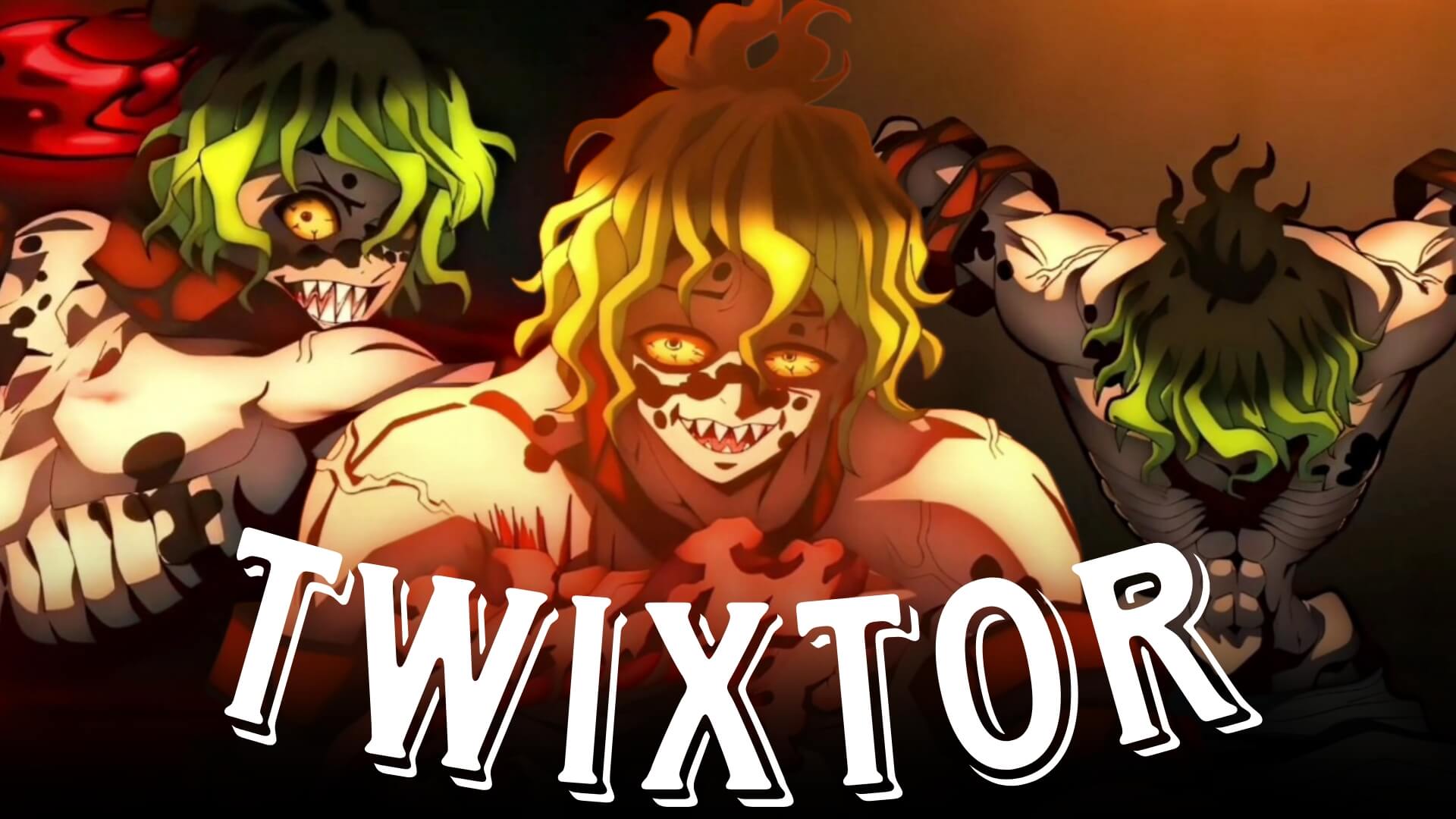
Gyutaro Twixtor: Best Demon Slayer Fight Scenes for Edits
Gyutaro Twixtor edits are among the most popular in the Demon Slayer: Kimetsu no Yaiba editing community. As the Upper Rank Six demon, Gyutaro delivers fast-paced combat, dramatic Blood Demon Art effects, and unforgettable emotional moments that make his scenes ideal for Twixtor edits, AMVs, TikTok videos, Instagram Reels, and YouTube Shorts.
From his intense battle in the Entertainment District Arc to his emotional backstory with Daki, Gyutaro Twixtor scenes offer fluid animation, cinematic visuals, and dynamic action that help creators produce eye-catching edits. This guide highlights the best moments and practical editing techniques to elevate your anime edits.
Why Gyutaro Is Perfect for Twixtor Edits
A great Gyutaro Twixtor edit combines clean animation, smooth movement, and impactful visual effects. Gyutaro’s agile fighting style and blood-based techniques create sequences that look exceptional in slow motion and velocity edits.
Editors love Gyutaro because of his:
- Blood Demon Art techniques
- High-speed sickle attacks
- Dynamic aerial combat
- Distinctive green aura effects
- Emotional facial expressions
- Cinematic battle choreography
These qualities make Gyutaro one of the best Demon Slayer characters for anime edits.
Best Gyutaro Scenes for Twixtor Editing
Gyutaro’s First Appearance
Gyutaro’s entrance is one of the most memorable villain introductions in Demon Slayer.
Best editing moments include:
- Character reveal
- Menacing smile
- Slow character movements
- Close-up facial expressions
- Atmospheric lighting
Editing Tip:
Apply slow motion during Gyutaro’s first appearance before transitioning into the battle for a dramatic cinematic effect.
Gyutaro vs Tengen Uzui
The fight against Tengen Uzui features some of the best animation in the Entertainment District Arc.
Perfect scenes include:
- High-speed sickle attacks
- Blood Demon Art activation
- Explosive clashes
- Fast aerial movements
- Dynamic camera angles
These sequences are ideal for velocity edits and Twixtor slow motion.
Gyutaro vs Tanjiro
Gyutaro’s confrontations with Tanjiro deliver emotional storytelling alongside intense action.
Highlight moments include:
- Sword clashes
- Blood blade attacks
- Close-range combat
- Determined expressions
- Powerful finishing moments
These clips work exceptionally well for cinematic AMVs.
Gyutaro and Daki’s Final Moments
The conclusion of the Entertainment District Arc provides emotional scenes perfect for story-driven edits.
Focus on:
- Emotional dialogue
- Character close-ups
- Flashback moments
- Soft lighting
- Final farewell scenes
These sequences add depth and emotion to character-focused edits.
Editing Tips for a Smooth Gyutaro Twixtor
Creating a polished Gyutaro Twixtor edit requires thoughtful pacing and careful scene selection.
Use High-Quality Source Footage
High-resolution footage helps Twixtor preserve the detailed animation and vibrant Blood Demon Art effects.
Apply Twixtor Selectively
Reserve slow motion for:
- Character entrances
- Blood Demon Art activation
- Sickle swings
- Major attack impacts
- Emotional ending scenes
Strategic pacing creates stronger visual impact.
Synchronize With Music
Excellent synchronization points include:
- Character reveal
- Blood blade attacks
- Beat drops during clashes
- Explosions
- Final emotional scenes
Strong beat synchronization enhances the cinematic feel of your edit.
Keep Effects Balanced
The original animation already includes stunning lighting and particle effects. Avoid excessive glow, camera shake, or overlays that may distract from the choreography.
Color Grading Ideas
Enhance your Gyutaro Twixtor with a cinematic color grade.
Popular styles include:
- Dark green highlights
- High-contrast cinematic grading
- Emerald color tones
- Soft bloom
- Subtle film grain
A consistent grade gives your edit a polished and professional appearance.
Common Mistakes to Avoid
When creating a Gyutaro Twixtor, avoid:
- Overusing slow motion
- Excessive transition effects
- Heavy camera shake
- Poor beat synchronization
- Low-quality source footage
Clean editing often highlights the animation more effectively than adding too many visual effects.
Why Gyutaro Is a Favorite Among Anime Editors
Gyutaro combines terrifying power with emotional depth, making him one of the most compelling antagonists in Demon Slayer. His fast combat style, unique Blood Demon Art abilities, and beautifully animated battles provide editors with endless opportunities to create cinematic Twixtor edits.
Whether you’re showcasing his fierce fight against Tengen Uzui or highlighting the emotional conclusion of his story, a well-crafted Gyutaro Twixtor edit captures both the intensity and tragedy of his character.
FAQ
What are the best Gyutaro scenes for Twixtor edits?
The most popular scenes include Gyutaro’s first appearance, Gyutaro vs Tengen Uzui, Gyutaro vs Tanjiro, and the emotional ending with Daki.
Why is Gyutaro popular for anime edits?
His fast-paced combat, Blood Demon Art techniques, emotional backstory, and stunning animation make him one of the best Demon Slayer characters for Twixtor edits.
How can I make my Gyutaro Twixtor smoother?
Use high-quality footage, apply Twixtor to scenes with clean movement, synchronize important attacks with your soundtrack, and avoid excessive visual effects.
Final Thoughts
A memorable Gyutaro Twixtor edit combines smooth slow motion, cinematic pacing, and carefully synchronized music to showcase one of Demon Slayer‘s most iconic villains. By focusing on impactful battle scenes, maintaining clean transitions, and emphasizing Gyutaro’s unique fighting style, you can create edits that stand out across every platform.
For more anime editing inspiration, explore our guides on Akaza Twixtor, Tengen Uzui Twixtor, Rengoku Twixtor, Kokushibo Twixtor, and Demon Slayer Twixtor