LINKS
Get Exclusive CC & Quality Setting Here : https://payhip.com/QualityCCLab
GET EXCLUSIVE FREE TWIXTOR CLIPS
Get Anime Clips Raw For Free: https://twixtorclips.com/anime-raw-clips/
Exclusive Twixtor Clips For Free: https://twixtorclips.com
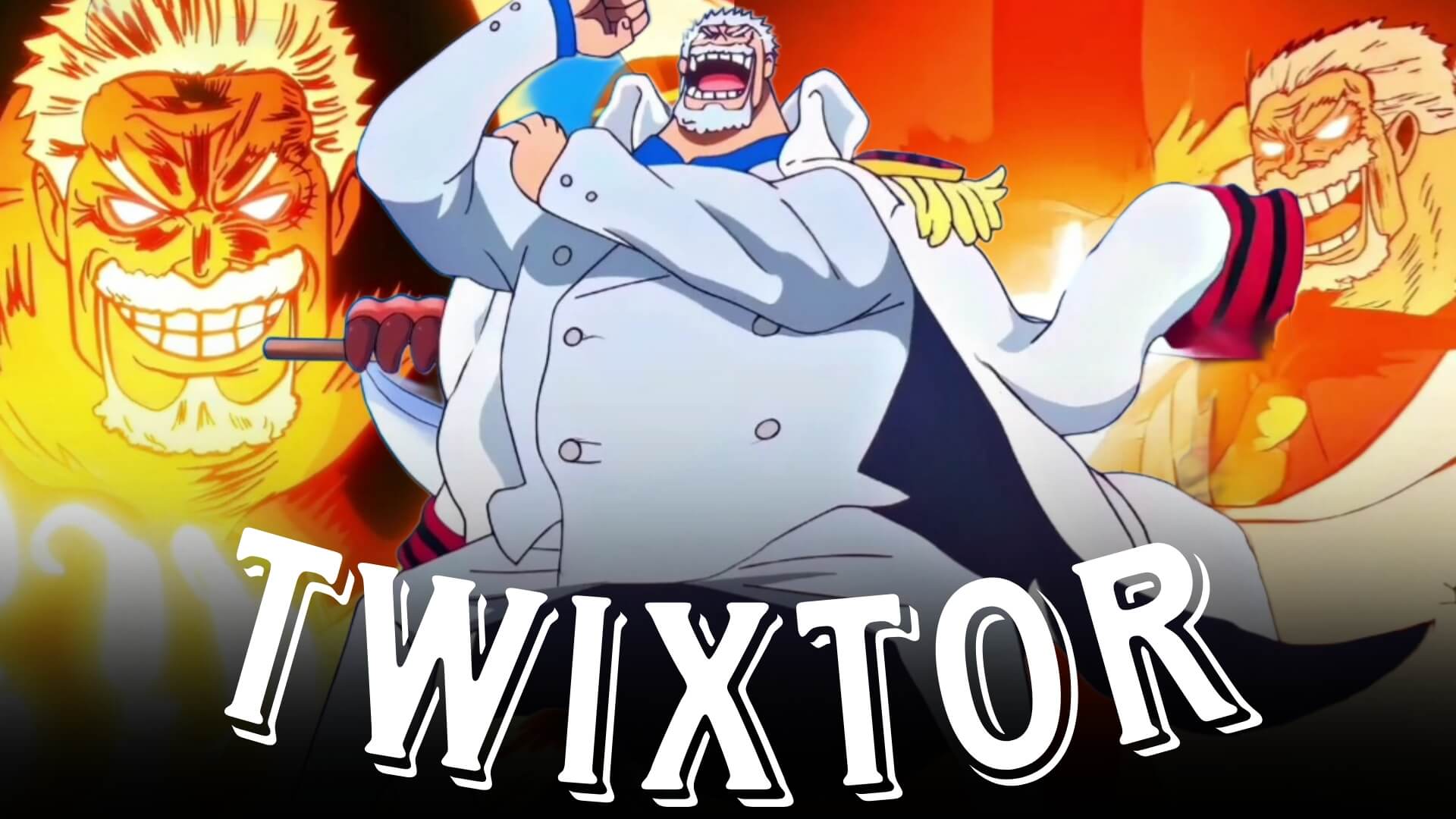
Garp Galaxy Impact Twixtor: Best One Piece Scene for Edits
Garp Galaxy Impact Twixtor has become one of the hottest keywords among One Piece anime editors since the release of the legendary Galaxy Impact scene during the Hachinosu (Pirate Island) arc. Monkey D. Garp’s overwhelming display of Advanced Conqueror’s Haki, combined with breathtaking animation and cinematic destruction, makes this sequence one of the most impressive moments in the series.
Whether you’re creating an AMV, TikTok edit, Instagram Reel, or YouTube Short, Garp Galaxy Impact Twixtor scenes provide incredible opportunities for smooth slow-motion edits, velocity effects, and dramatic beat synchronization.
Why Galaxy Impact Is Perfect for Twixtor
A great Garp Galaxy Impact Twixtor edit focuses on timing, scale, and cinematic presentation. The attack combines explosive Haki effects with dynamic camera movement and stunning animation, making it ideal for professional-quality edits.
Editors love this scene because it features:
- Massive Advanced Conqueror’s Haki effects
- Explosive impact animation
- Cinematic aerial camera shots
- Dynamic destruction effects
- Smooth character movement
- Movie-quality visuals
These elements make Galaxy Impact one of the most edited One Piece scenes.
Best Garp Galaxy Impact Scenes for Twixtor Editing
Garp’s Arrival at Pirate Island
The sequence begins with Garp making one of the most memorable entrances in One Piece.
Best editing moments include:
- Marine ship arrival
- Garp standing confidently
- Character close-ups
- Wide cinematic shots
- Haki buildup
Editing Tip:
Use slow motion during Garp’s entrance before transitioning into the attack for maximum dramatic effect.
Galaxy Impact Activation
The signature attack is the highlight of the entire sequence.
Perfect clips include:
- Jump toward the battlefield
- Haki-coated fist
- Attack windup
- Galaxy Impact release
- Massive explosion
These scenes are ideal for cinematic Twixtor edits.
Pirate Island Destruction
The impact creates one of the largest destruction scenes in modern One Piece animation.
Highlight:
- Shockwaves
- Building destruction
- Purple and black Haki effects
- Dust clouds
- Wide aerial shots
These clips work exceptionally well during music drops.
Marines and Pirates’ Reactions
The reactions from both allies and enemies add emotional weight to the sequence.
Focus on:
- Character expressions
- Crowd reactions
- Dramatic camera angles
- Environmental shots
- Aftermath scenes
These moments provide excellent transitions between action sequences.
Editing Tips for a Smooth Garp Galaxy Impact Twixtor
Creating a professional Garp Galaxy Impact Twixtor edit requires careful pacing and selective use of slow motion.
Use High-Resolution Footage
High-quality footage preserves the incredible Haki effects and allows Twixtor to interpolate frames smoothly.
Apply Twixtor Strategically
Reserve slow motion for:
- Garp’s jump
- Haki activation
- Galaxy Impact windup
- Attack release
- Explosion impact
This approach maximizes the visual impact of the scene.
Synchronize With Music
Excellent synchronization points include:
- Garp’s arrival
- Haki buildup
- Galaxy Impact release
- Shockwave expansion
- Final explosion
Beat synchronization greatly enhances the cinematic feel of your edit.
Keep Effects Balanced
The original animation already features stunning lighting, Haki effects, and destruction. Avoid excessive glow, transitions, or camera shake that can distract from the scene.
Color Grading Ideas
Enhance your Garp Galaxy Impact Twixtor with cinematic grading.
Popular styles include:
- Dark blue cinematic tones
- Purple Haki highlights
- High-contrast battle grading
- Warm sunset colors
- Subtle film grain
A consistent color palette gives your edit a polished and dramatic appearance.
Common Mistakes to Avoid
When editing a Garp Galaxy Impact Twixtor, avoid:
- Applying slow motion to the entire sequence
- Excessive visual effects
- Too many transitions
- Poor beat synchronization
- Low-resolution source footage
Simple pacing and clean timing often create the strongest edits.
Why Galaxy Impact Is One of One Piece’s Best Editing Moments
Galaxy Impact perfectly demonstrates why modern One Piece animation has become a favorite among anime editors. The attack combines overwhelming Haki, cinematic direction, and spectacular destruction into a single unforgettable sequence. Garp’s confidence, immense strength, and legendary reputation make the scene even more impactful.
A well-crafted Garp Galaxy Impact Twixtor highlights the anticipation before the attack, the explosive release of Haki, and the breathtaking aftermath, creating an edit that captures one of the most iconic moments in the Egghead Saga.
FAQ
What are the best Garp Galaxy Impact scenes for Twixtor edits?
The best scenes include Garp’s arrival at Pirate Island, the Galaxy Impact windup, the attack release, the massive explosion, and the reactions that follow.
Why is Galaxy Impact popular for anime edits?
The sequence features incredible animation, Advanced Conqueror’s Haki, cinematic camera work, and one of the most visually impressive attacks in One Piece.
How can I make my Garp Galaxy Impact Twixtor smoother?
Use high-quality footage, apply Twixtor only during key moments like the jump and attack release, synchronize major impacts with your music, and avoid excessive visual effects.
Final Thoughts
A memorable Garp Galaxy Impact Twixtor edit combines smooth slow motion, cinematic pacing, and precise music synchronization to showcase one of the greatest displays of power in One Piece. By emphasizing Garp’s entrance, the Haki buildup, and the devastating Galaxy Impact attack, you can create edits that leave a lasting impression on viewers.
For more One Piece editing inspiration, explore our guides on Garp Twixtor, Shanks vs Kid Twixtor, Luffy Gear 5 Twixtor, Zoro Twixtor, and Aokiji Twixtor.