LINKS
More Post Like This: https://twixtorclips.com/captain-america-scenepack-4k/
Anime Twixtor Clips Available: https://twixtorclips.com/anime-twixtor/
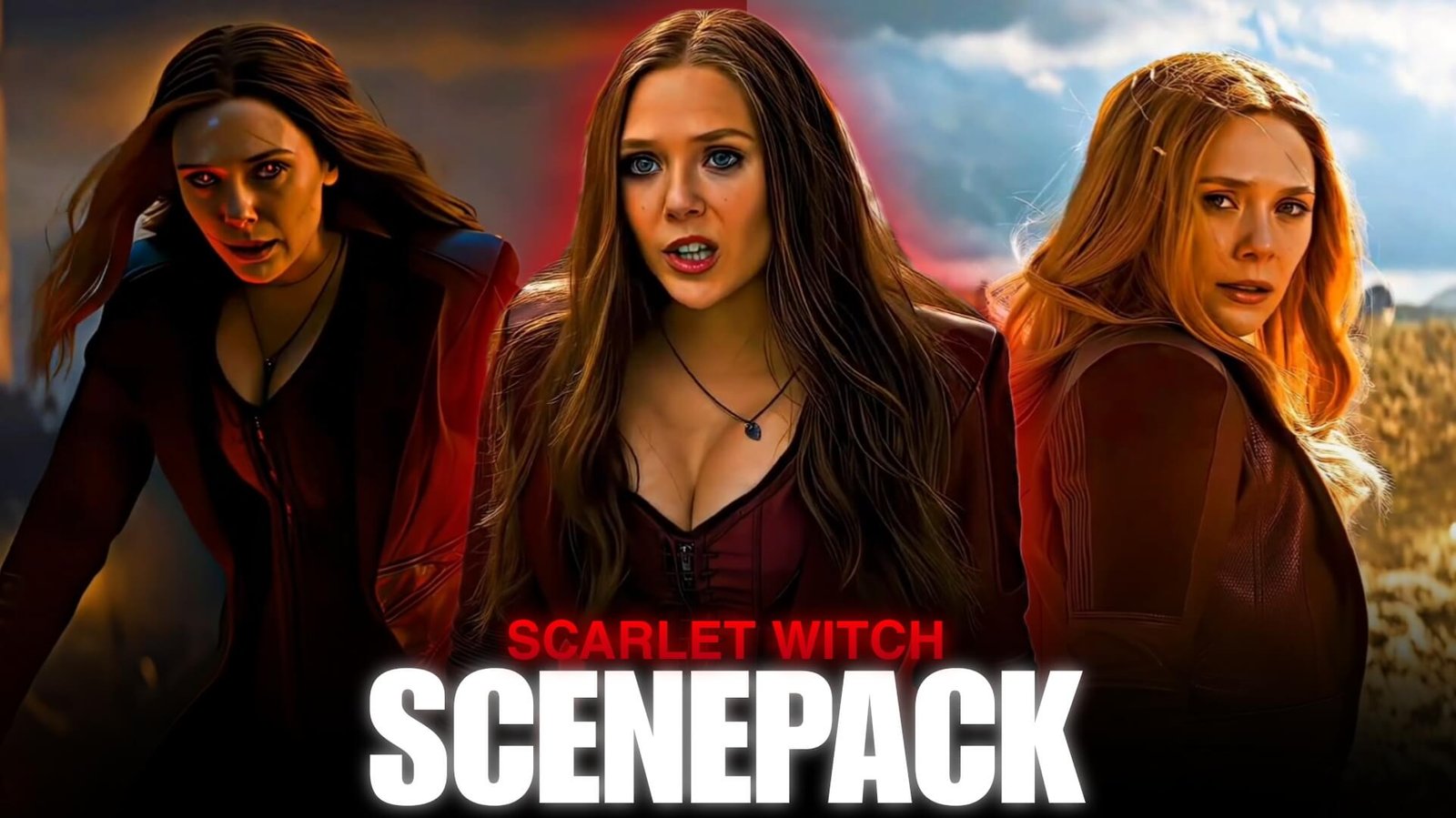
Scarlet Witch Twixtor Clips: Cinematic Wanda Maximoff Scenes for Edits
Wanda Maximoff is one of those Marvel characters whose footage can carry an entire edit without needing excessive visual effects. Her expressions, red energy, hand movements, supernatural abilities, and dramatic entrances all provide natural moments for editors to build around.
Scarlet Witch Twixtor Clips are particularly useful when an edit needs a mixture of controlled slow motion and sudden bursts of movement. Instead of treating every shot as a velocity clip, editors can combine Wanda’s quieter character moments with her most visually intense scenes.
Editorial Note: This guide discusses creative editing, scene selection, and visual techniques. It does not host or distribute copyrighted Marvel footage.
Start With Wanda’s Expressions
Before introducing the magic, consider opening with Wanda herself.
Close-ups can establish the mood of the edit before the action begins. A short sequence of Wanda looking toward an opponent, turning her head, or reacting to something can work as a cinematic introduction.
Try a structure such as:
Close-up → eye movement → hand movement → first appearance of red energy
The gradual buildup gives the audience a reason to focus on the character before the major visual moments arrive.
The Red Magic Is Your Visual Rhythm
Wanda’s energy effects naturally provide points where an edit can change pace.
Look for moments when the red energy:
- Appears around her hands
- Expands outward
- Moves toward another character
- Forms a defensive barrier
- Strikes an opponent
- Surrounds her body
These moments can become beat markers.
For example, keep the opening footage relatively slow, accelerate as Wanda raises her hand, then hit the strongest frame when the magical effect appears.
This approach makes Scarlet Witch Twixtor Clips useful even when the source footage isn’t a traditional fight sequence.
Build Around Hand Movement
Wanda’s hand gestures are especially useful for editing because they provide clear directional movement.
A simple edit could connect three different scenes through similar gestures:
Right-hand movement → cut → another spell → cut → defensive gesture
The audience naturally follows the movement, making the cuts feel connected.
You can add a small amount of motion blur during the transition, but avoid covering the original movement with unnecessary effects.
When to Use Scarlet Witch Twixtor Clips
Twixtor is most useful when you want to emphasize a specific movement rather than slow down an entire scene.
Good candidates can include:
- Wanda turning
- Raising her hands
- Walking toward an opponent
- Beginning an attack
- Moving through a battlefield
- Magical energy activation
- Controlled camera movements
For Scarlet Witch Twixtor Clips, test each shot individually. Magical particles, overlapping effects, hair movement, and complicated backgrounds can make interpolation more difficult.
A short, carefully selected slow-motion section can look more effective than slowing an entire clip.
Create a Slow-to-Fast Pattern
One useful structure for a Wanda edit is to make the pacing gradually more aggressive.
Phase 1 — Atmosphere
Begin with a close-up or quiet character shot.
Phase 2 — Tension
Introduce Wanda preparing her abilities.
Phase 3 — Acceleration
Increase the speed as her magic becomes more powerful.
Phase 4 — Impact
Use the strongest attack or visual effect on the music beat.
Phase 5 — Release
Return to a slower shot for the ending.
This creates a visual journey rather than a constant stream of effects.
Wanda’s Darker Visuals
Scarlet Witch footage can also work particularly well with darker edits.
For this style, experiment with:
- Deeper shadows
- Controlled contrast
- Muted backgrounds
- Stronger red highlights
- Subtle film grain
- Reduced overall saturation
Don’t make the entire frame red. Keeping the environment relatively controlled allows Wanda’s magical energy to remain the visual focal point.
Match the Music to the Character
Instead of choosing music solely because it has a fast beat, decide what version of Wanda you want the edit to communicate.
Powerful
Use dramatic bass and heavy percussion for battle-focused edits.
Dark
Atmospheric electronic or cinematic tracks can emphasize Wanda’s more intimidating scenes.
Emotional
Slower vocals or piano-based music can work better with character-focused footage.
Cinematic
Orchestral tracks can create a gradual build toward a major magical sequence.
The soundtrack should determine when you accelerate, pause, and change scenes.
Color Grading for Red Energy
Because red is already strongly associated with Wanda, grading should enhance rather than completely replace the original color palette.
A useful workflow is:
- Correct exposure first.
- Balance skin tones.
- Adjust contrast.
- Enhance the red tones carefully.
- Control highlights around magical effects.
- Add sharpening only where necessary.
If the reds become too saturated, the magical effects can lose detail and turn into a flat block of color.
Three Editing Styles to Try
1. Cinematic Wanda
Use slow camera movements, close-ups, atmospheric scenes, and restrained transitions.
This style works particularly well with emotional or dramatic music.
2. Scarlet Witch Power Edit
Focus on attacks, magical effects, transformations, and intense expressions.
Use speed ramps and impact cuts to create a stronger rhythm.
3. Dark Character Edit
Mix quiet expressions with darker scenes and powerful action moments.
Instead of relying on constant transitions, use changes in lighting and music to move between sections.
Transition Techniques That Fit Wanda
Wanda’s footage gives you several natural transition opportunities.
Magic Cover: Let the red energy fill part of the frame before cutting to the next scene.
Gesture Match: Match a similar hand movement from two different shots.
Impact Cut: Cut precisely when a magical attack connects.
Eye-Line Transition: Connect two shots through the direction Wanda is looking.
Flash Transition: Use a brief brightness change during a major magical effect.
The key is to make the transition feel connected to the footage rather than simply adding a preset.
A Simple Edit Blueprint
If you’re building an edit from Scarlet Witch Twixtor Clips, try this timeline:
0–2 sec: Wanda close-up
2–4 sec: Slow character movement
4–6 sec: Hand gesture
6–8 sec: Magic begins
8–10 sec: Speed ramp
10–12 sec: Major attack
12–14 sec: Twixtor slow motion
14–16 sec: Strong final pose
You can adjust the timing according to the soundtrack, but the important idea is to create contrast between calm and intense sections.
Keeping Your Clips Organized
For an editing project, categorize footage based on how you intend to use it rather than simply putting every scene into one folder.
Character
- Close-ups
- Expressions
- Walking
- Reactions
Magic
- Hand gestures
- Energy effects
- Attacks
- Defensive scenes
Action
- Battles
- Dodges
- Impacts
- Movement
Atmosphere
- Establishing shots
- Dark environments
- Wide shots
- Cinematic moments
Slow Motion
- Clear movements
- Turning shots
- Controlled camera movements
This setup makes it much easier to find a specific type of shot during editing.
Mistakes That Can Weaken a Wanda Edit
The strongest Scarlet Witch scenes already contain significant visual information, so adding too much can make the final result harder to watch.
Avoid:
- Excessive glow
- Oversaturated red colors
- Twixtor on every clip
- Constant camera shake
- Too many flashes
- Heavy sharpening
- Random velocity changes
- Cutting emotional scenes too quickly
A good edit should make Wanda’s original visual presence more noticeable, not bury it underneath effects.
FAQ
What are Scarlet Witch Twixtor Clips?
Scarlet Witch Twixtor Clips are Wanda Maximoff scenes that editors can use as source material for slow-motion, velocity, cinematic, and character-focused video edits when they have the appropriate rights to use the footage.
Which Scarlet Witch Twixtor Clips/Wanda scenes are suitable for Twixtor?
Shots containing relatively clear movement, such as walking, turning, hand gestures, and controlled action, are generally easier to process than scenes with extremely complex overlapping motion.
What makes Wanda good for velocity edits?
Her hand movements, magical attacks, dramatic poses, and sudden changes in action provide natural points for speed ramps and beat synchronization.
Should every Scarlet Witch clip be slowed down?
No. Mixing normal-speed footage with selected slow-motion sections creates better pacing and prevents the edit from feeling unnecessarily slow.
Can Wanda’s red magic be used for transitions?
Yes. Energy appearing or moving across the frame can provide a natural visual opportunity for a transition.
Which editing programs work for these clips?
After Effects, Premiere Pro, DaVinci Resolve, CapCut, and other editors with speed-control, compositing, and color-grading tools can be used.
Final Thoughts
The strongest Scarlet Witch Twixtor Clips edits don’t necessarily come from using the most effects. Wanda’s footage already provides a strong combination of character emotion, supernatural movement, dramatic lighting, and recognizable red energy.
Use those elements as the foundation of the edit. Let close-ups establish the character, use hand movements to connect scenes, reserve Twixtor for moments where slow motion adds emphasis, and allow the soundtrack to control the overall rhythm.
That balance can turn a collection of Wanda scenes into a cinematic character edit rather than another effects-heavy montage.
Disclaimer
This article is provided for editing inspiration and informational purposes. Scarlet Witch Twixtor Clips , Wanda Maximoff, Marvel characters, films, and associated footage are protected by their respective copyright holders. This site does not host or distribute copyrighted footage. Use only footage you have the legal right or permission to edit and follow applicable copyright and platform policies.

Get Exclusive CC & Quality Setting Here : https://payhip.com/QualityCCLab