LINKS
Get Exclusive CC & Quality Setting Here : https://payhip.com/QualityCCLab
GET EXCLUSIVE FREE TWIXTOR CLIPS
Get Anime Clips Raw For Free: https://twixtorclips.com/anime-raw-clips/
Exclusive Twixtor Clips For Free: https://twixtorclips.com
Sanji Twixtor: Best One Piece Scenes for Cinematic Anime Edits
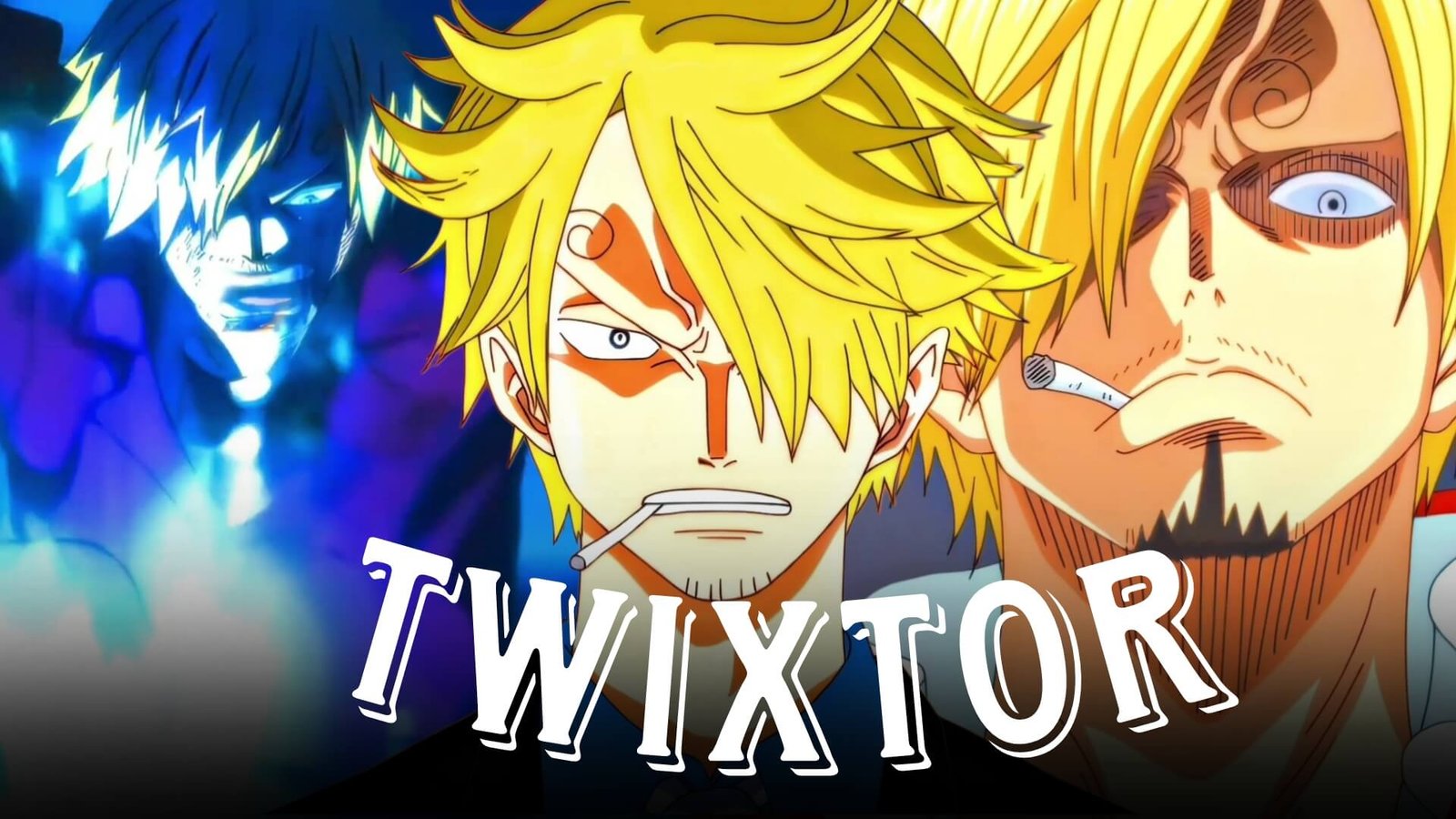
Among the Straw Hat Pirates, few characters offer as much variety for video editors as Sanji. A well-crafted Sanji Twixtor edit can combine explosive action, elegant martial arts, emotional storytelling, and stylish visual effects into a single cinematic project. From the early Grand Line adventures to the breathtaking battles of the Wano Country Arc, Sanji consistently delivers scenes that look exceptional in slow motion and velocity edits.
His signature kicking techniques, blazing fire attacks, and lightning-fast movement naturally suit Twixtor interpolation. Whether you’re creating YouTube Shorts, Instagram Reels, TikTok edits, AMVs, or cinematic montages, Sanji Twixtor scenes provide smooth animation and dynamic choreography without requiring excessive visual effects.
Editorial Note: This guide is written for anime editors and focuses on editing techniques and scene analysis. Always ensure your use of anime footage complies with copyright laws and the policies of the platform where your content is shared.
Why Sanji Is One of the Best Characters for Twixtor
Every great Sanji Twixtor edit highlights his unique fighting style. Unlike sword users or Devil Fruit specialists, Sanji relies almost entirely on high-speed kicks, aerial movement, observation skills, and precise timing. These qualities create clean motion paths that work extremely well with Twixtor and velocity editing.
Editors often choose Sanji because of his:
- Ifrit Jambe blue flame attacks
- Diable Jambe techniques
- Sky Walk movement
- High-speed kick combinations
- Stylish combat choreography
- Cinematic character moments
This variety allows creators to produce action-packed edits as well as emotional story-driven videos.
Best Sanji Scenes for Twixtor Editing
Ifrit Jambe Awakening
One of Sanji’s most visually impressive upgrades is the debut of Ifrit Jambe, where blue flames surround his kicks during the Wano Arc.
Ideal scenes include:
- Blue flame ignition
- Character close-ups
- Speed bursts
- Powerful finishing kicks
- Dramatic camera movement
Editing Tip:
Slow the transformation and flame activation slightly before increasing the speed on the first major kick. This creates a satisfying transition that matches cinematic music.
Diable Jambe Moments
Before unlocking Ifrit Jambe, Sanji’s Diable Jambe attacks already featured exciting visual effects that remain popular among editors.
Recommended clips include:
- Flaming kick activation
- Spin attacks
- Combo sequences
- Mid-air strikes
- Impact shots
These moments fit perfectly into fast-paced AMVs and beat-sync edits.
Sky Walk and Fast Movement
Sanji’s aerial mobility is one of his defining characteristics.
Look for scenes featuring:
- Sky Walk movement
- High-speed dashes
- Mid-air dodges
- Aerial kick combinations
- Dynamic camera tracking
These clips are excellent for velocity edits because they maintain clean movement across the screen.
Emotional Character Moments
Not every memorable Sanji scene involves combat. Emotional sequences often provide excellent pacing between action scenes.
Strong editing choices include:
- Calm close-ups
- Determined expressions
- Crew interactions
- Heroic entrances
- Story-driven moments
These scenes help create edits with stronger emotional impact.
Twixtor Editing Tips for Sanji
Creating a polished Sanji Twixtor edit is about emphasizing his speed rather than slowing every movement.
Use High-Quality Source Footage
Sharp footage helps preserve flame effects, lighting, and character details during Twixtor interpolation.
Apply Slow Motion Strategically
Reserve slow motion for:
- Ifrit Jambe activation
- Diable Jambe ignition
- Aerial kicks
- Final attacks
- Character entrances
Using Twixtor selectively creates more dramatic highlights without reducing the energy of the fight.
Synchronize With Music
Good synchronization points include:
- Beat drops
- Kick impacts
- Flame activation
- Camera zooms
- Final chorus
Matching attacks to the rhythm of your soundtrack creates a smoother and more engaging edit.
Let the Animation Shine
Modern One Piece animation already contains vibrant lighting, dynamic camera work, and polished effects. Avoid adding excessive glow, motion blur, or unnecessary transitions that can distract from the choreography.
Color Grading Ideas
Subtle grading can give your Sanji Twixtor edit a more cinematic appearance.
Popular choices include:
- Blue highlights for Ifrit Jambe
- Warm orange tones for Diable Jambe
- High-contrast grading
- Soft bloom
- Light cinematic film grain
These adjustments enhance the atmosphere while preserving the original artwork.
Common Editing Mistakes
Many editors unintentionally reduce the impact of Sanji’s scenes.
Avoid:
- Overusing slow motion
- Excessive camera shake
- Heavy motion blur
- Too many flash transitions
- Low-resolution footage
- Oversaturated color grading
Keeping your edit clean allows Sanji’s smooth fighting style to remain the center of attention.
Why Anime Editors Love Sanji
Sanji combines elegance, speed, and emotional storytelling in a way that few anime characters can. His fights are visually exciting, yet every major battle also reflects his personal growth and determination. This balance gives editors the flexibility to create cinematic AMVs, emotional montages, or energetic short-form edits.
A carefully edited Sanji Twixtor captures both his incredible combat skills and the personality that has made him one of the most beloved members of the Straw Hat crew.
FAQ
What are the best Sanji scenes for Twixtor edits?
Popular choices include Ifrit Jambe, Diable Jambe, Sky Walk sequences, Wano battles, and emotional character moments from across the series.
Why is Sanji popular for anime edits?
His fast kick-based combat, stylish animation, fiery techniques, and strong character development make him an ideal choice for Twixtor and velocity edits.
How can I make my Sanji Twixtor smoother?
Use high-quality footage, apply slow motion only to important moments, synchronize attacks with your music, and avoid excessive visual effects.
Final Thoughts
A memorable Sanji Twixtor edit is built on thoughtful pacing, clean transitions, and careful scene selection rather than overwhelming effects. By focusing on Ifrit Jambe, Diable Jambe, Sky Walk, and Sanji’s fluid combat style, you can create cinematic edits that highlight one of One Piece‘s most stylish fighters while maintaining a polished and professional editing style.
If you’re looking for more One Piece editing inspiration, explore our related guides on Sanji vs Queen Twixtor, Zoro Twixtor, Luffy Gear 5 Twixtor, Kaido Twixtor, and Shanks Twixtor.