LINKS
Get Exclusive CC & Quality Setting Here : https://payhip.com/QualityCCLab
GET EXCLUSIVE FREE TWIXTOR CLIPS
Get Anime Clips Raw For Free: https://twixtorclips.com/anime-raw-clips/
Exclusive Twixtor Clips For Free: https://twixtorclips.com
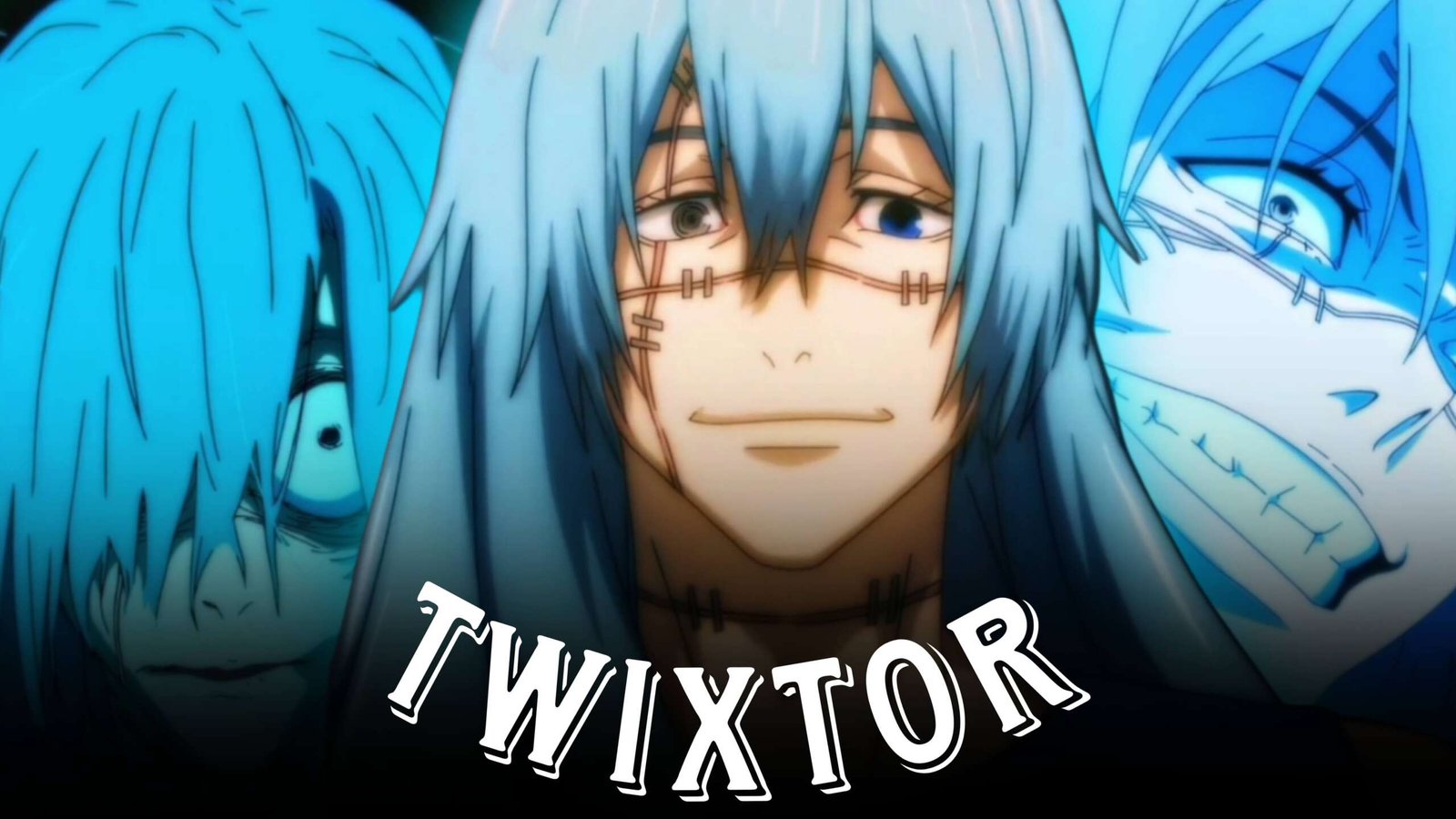
Mahito Twixtor Clips: Best Jujutsu Kaisen Scenes for Edits
Mahito Twixtor Clips are a great choice for editors who want unsettling transformations, unpredictable movements, intense battles, and visually striking moments from Jujutsu Kaisen. Mahito’s distinctive cursed technique gives his scenes a constantly changing visual style that can be used for both aggressive and cinematic edits.
From close-up expressions to rapid combat and Idle Transfiguration, Mahito provides plenty of footage that can be arranged into creative velocity edits. His scenes also work particularly well when an editor contrasts calm moments with sudden changes in movement.
Editorial Note: This article focuses on video-editing inspiration and scene organization. It does not host or distribute copyrighted anime footage.
Why Mahito Works Well for Twixtor Edits
Mahito’s animation includes a mixture of controlled character movement and unpredictable transformations. That makes Mahito Twixtor Clips useful for editors who want more visual variation than a standard fight montage.
Potential scene categories include:
- Mahito close-ups
- Idle Transfiguration
- Hand-to-hand combat
- Transformation moments
- Cursed technique sequences
- Yuji vs Mahito scenes
- Mahito’s expressions
- Fast attacks
- Dodges and movement
- Dramatic story moments
- Cinematic shots
The different types of movement allow an editor to switch naturally between slow sections and high-speed sequences.
Mahito Close-Up Clips
Mahito’s facial expressions can provide useful opening and transition shots.
Instead of beginning immediately with a fight, try starting with:
Close-up → slow zoom → expression change → music build → action transition
A subtle zoom combined with light motion blur can create tension without requiring a large number of visual effects.
These shots can also be placed between two faster sequences to give the edit some breathing room.
Idle Transfiguration Scenes
Mahito’s Idle Transfiguration is one of the most recognizable visual elements to use in an edit.
Transformation footage can work as a natural visual transition. For example:
Mahito close-up → hand movement → technique activation → transformation → beat drop
Rather than adding a random transition over the scene, use the animation itself as the transition point.
This approach can make Mahito Twixtor Clips feel more connected to the character’s abilities.
Yuji vs Mahito Editing
The conflict between Yuji and Mahito provides several types of footage that can be combined into a fight montage.
A simple sequence could be:
Yuji movement → Mahito reaction → attack → dodge → technique → impact
For a more dramatic edit, alternate between both characters rather than showing Mahito’s footage continuously.
This creates a stronger sense of movement and makes the music synchronization more interesting.
Mahito Transformation Edit
Transformation scenes can be used as the main climax of an edit.
Start with slower character footage and gradually increase the editing pace before the transformation.
For example:
Normal speed → slow motion → acceleration → transformation reveal → impact
Twixtor can be used selectively around the transformation or attack, while the rest of the scene remains closer to its original timing.
Velocity Editing for Mahito
A good Mahito edit does not need constant speed changes.
Try using three distinct sections:
Slow introduction → rapid action → slow ending
The introduction can establish Mahito’s expression or technique, the middle can contain combat and transformation footage, and the ending can return to a cinematic close-up.
This gives the montage a beginning, middle, and ending rather than making every clip feel identical.
Music Ideas for Mahito Edits
The soundtrack should match the type of edit you are creating.
Dark Mahito Edit
Try:
- Dark ambient
- Atmospheric electronic
- Distorted instrumentals
- Dark trap
These can complement transformation and character-focused footage.
Mahito Fight Edit
For fast combat, consider:
- Phonk
- Trap
- Drum & bass
- Aggressive electronic music
Use major impacts and technique activations as beat markers.
Cinematic JJK Edit
Slower orchestral or atmospheric tracks can work well when the focus is on character moments rather than constant fighting.
Color Grading Mahito Clips
Mahito footage can support both dark and high-contrast visual styles.
Experiment with:
- Increased contrast
- Controlled saturation
- Deeper shadows
- Highlight adjustment
- Subtle sharpening
- Film grain
- Light vignette
For transformation sequences, avoid excessive effects that hide the original animation.
A consistent grade across the entire montage will usually look cleaner than dramatically changing the color treatment from one clip to another.
Twixtor Tips for Mahito Clips
When working with Mahito Twixtor Clips, select shots where the main movement is easy to follow.
Good candidates include:
- Punches
- Kicks
- Dodges
- Hand movements
- Character turns
- Running
- Technique activation
- Clearly defined attacks
Be more careful with transformation scenes containing multiple overlapping shapes. Complex animation can sometimes create visible interpolation artifacts.
Transition Ideas
Mahito’s technique provides several opportunities for creative transitions.
Hand Movement Transition
Match Mahito’s hand movement with a similar movement in the next clip.
Transformation Cut
Cut as the transformation reaches its strongest visual point.
Impact Transition
Use a hit or attack impact to move directly into another scene.
Match Movement
End one shot with movement in a particular direction and begin the next clip using a similar direction.
These methods can reduce the need for excessive presets.
Mahito Twixtor Edit Workflow
A practical workflow is:
Select footage → trim clips → arrange the story → add velocity → apply Twixtor selectively → add motion blur → synchronize sound → color grade → export
For short-form videos, reframe important moments carefully so Mahito’s face or the main action remains visible in a vertical composition.
Mahito Edit Ideas
Mahito Character Edit
Combine close-ups, expressions, technique scenes, and dramatic moments into a character-focused montage.
Mahito Transformation Edit
Build the entire sequence toward Idle Transfiguration and other transformation moments.
Yuji vs Mahito Edit
Alternate between Yuji’s attacks and Mahito’s responses to create a fast-paced battle montage.
Dark Mahito Edit
Use atmospheric music, darker grading, slow zooms, and carefully selected close-ups.
Mahito Speed Edit
Combine combat movement, technique activation, and velocity ramps with selective Twixtor.
Mahito Cinematic Edit
Mix environmental shots, character close-ups, slower scenes, and carefully timed action clips.
Common Editing Mistakes
When creating Mahito Twixtor Clips edits, avoid making every scene look the same.
Common problems include:
- Applying Twixtor to every clip
- Excessive speed ramps
- Too much camera shake
- Heavy glow
- Too many flashes
- Over-sharpening
- Excessive motion blur
- Random transitions
- Extremely dark color grading
Mahito’s animation already contains distinctive visual effects, so a cleaner editing style can often make the original scenes more noticeable.
FAQ
What are Mahito Twixtor Clips?
Mahito Twixtor Clips are Mahito-focused scenes from Jujutsu Kaisen that can be used for slow-motion, velocity, and anime editing projects.
Which Mahito scenes are best for Twixtor?
Combat movements, hand gestures, dodges, attacks, running, and other clearly defined movements can work well with Twixtor.
Can I make a Mahito edit without fight scenes?
Yes. Close-ups, expressions, transformation sequences, technique activation, and cinematic story moments can be combined to create a character-focused edit.
Is Yuji vs Mahito good for an edit?
The battle provides a mixture of close combat, technique usage, movement, and dramatic moments, making it useful for different types of JJK edits.
What music works best for Mahito edits?
Dark ambient, phonk, trap, electronic, and cinematic music can all work depending on whether the edit focuses on Mahito’s character, transformations, or combat.
Final Thoughts
Mahito Twixtor Clips give editors a wide range of material because Mahito’s scenes combine combat, transformations, cursed techniques, expressions, and dramatic character moments. This makes it possible to create both aggressive velocity montages and slower cinematic edits.
For the strongest result, build the edit around contrast. Start with a controlled character shot, increase the pace during combat or technique activation, and use Twixtor only where additional slow-motion emphasis actually improves the movement.
Disclaimer
This article is for editing inspiration and informational purposes only. Jujutsu Kaisen, Mahito, and related characters are the property of their respective copyright holders. Use footage you have the legal right or permission to edit and share.