LINKS
Asta vs Devil Twins Twixtor: A Powerful Black Clover Battle
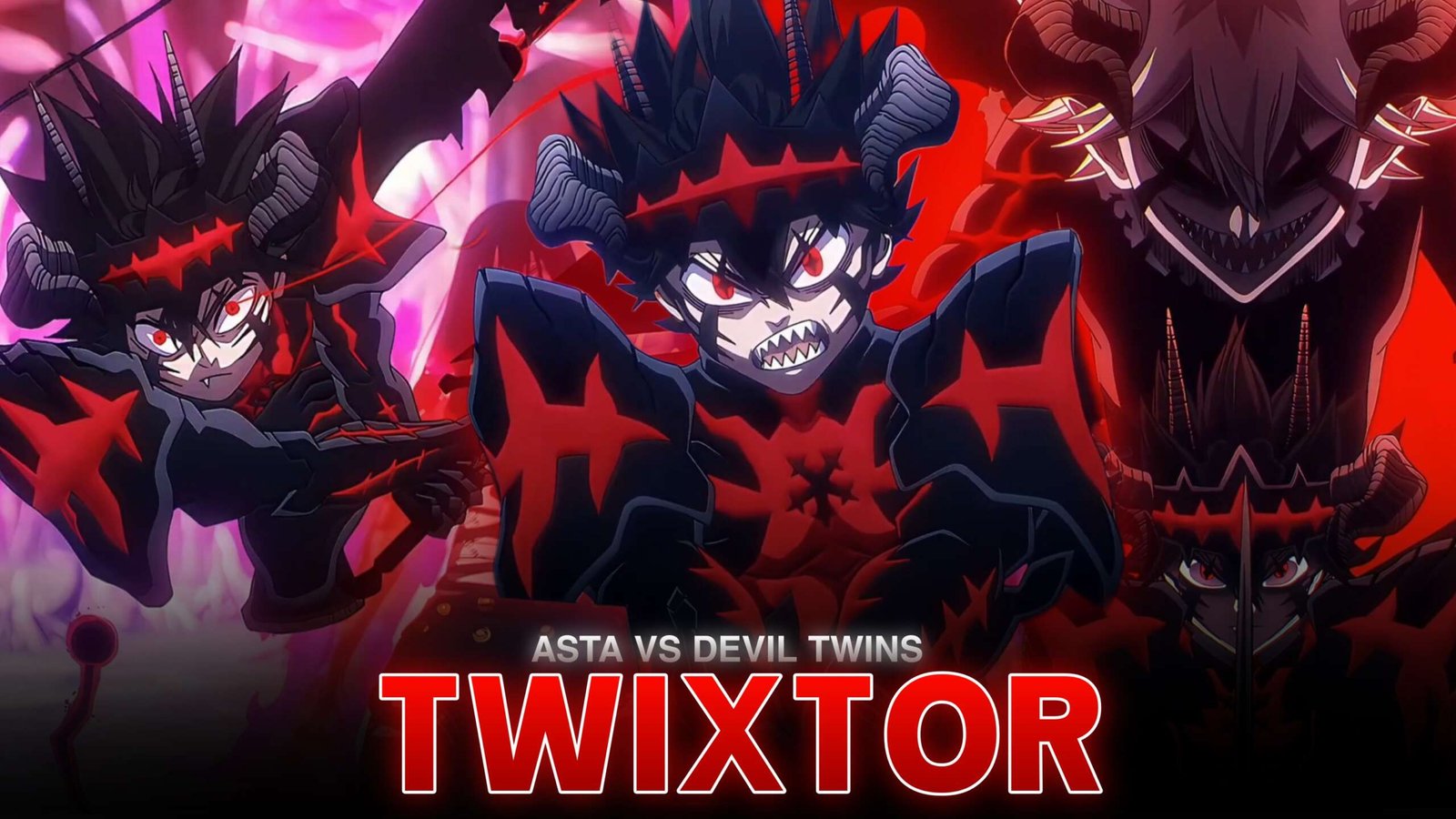
Asta’s battle against the devil twins Lilith and Naamah is one of the standout confrontations of the Spade Kingdom Raid in Black Clover. Lilith’s freezing magic and Naamah’s demonic fire create a dangerous combination, while Asta’s Devil Union with Liebe gives him the anti-magic power needed to challenge their abilities.
Asta vs Devil Twins Twixtor edits are ideal for high-energy AMVs, velocity edits, YouTube Shorts, and cinematic anime montages. The battle features dramatic transformations, fast sword movements, contrasting elemental effects, and powerful finishing attacks.
When planning this edit, I’d use the twins’ fire-and-ice combination to establish the atmosphere, then build toward Asta’s Devil Union and anti-magic counterattacks. This gives the video a natural progression instead of relying on nonstop flashes and transitions.
Why This Battle Works for Twixtor Edits
The fight offers a strong visual contrast between the devils’ elemental magic and Asta’s dark Devil Union form. Their attacks provide large effects for dramatic transitions, while Asta’s sword movements create clear opportunities for speed ramps.
Some of the best moments for Asta vs Devil Twins Twixtor include:
- The twins’ fire and ice attacks: Use contrasting colors to establish the threat.
- Asta’s Devil Union entrance: Create a dramatic reveal with a gradual zoom.
- Anti-magic sword strikes: Emphasize the moment Asta cuts through the devils’ magic.
- The fused devil’s attack: Build tension before the large-scale clash.
- Asta’s finishing sequence: Save the strongest beat and most dramatic transition for the climax.
These moments work well together because the fight moves from overwhelming danger to Asta’s determined counterattack.
Best Scenes to Highlight
1. Asta’s Devil Union Transformation
Asta’s transformation with Liebe makes a strong opening or mid-edit reveal. Start with a close-up, introduce a gradual zoom, and accelerate as the scene moves into combat. For Asta vs Devil Twins Twixtor, this moment can establish the dark visual tone before the faster sword sequences begin.
2. Anti-Magic Against Fire and Ice
The twins’ elemental abilities create dramatic backgrounds, while Asta’s anti-magic provides a contrasting visual style. Try alternating between the bright fire effects, icy surroundings, and close shots of Asta’s sword. Keep transitions aligned with the action so the scene remains easy to follow.
3. The Final Clash
As the battle reaches its climax, use shorter cuts and faster pacing. Briefly slow a key movement before the decisive strike, then return to normal speed on the beat. This makes Asta vs Devil Twins Twixtor edits feel powerful without stretching the entire sequence.
How to Make Smooth Asta vs Devil Twins Twixtor Clips
- Select the scene: Choose a clear transformation, sword strike, or elemental attack.
- Trim the footage: Work with a short sequence rather than applying slow motion to the whole fight.
- Apply Twixtor: Start with a moderate speed reduction and inspect frames around Asta’s sword and the devils’ effects.
- Build a velocity ramp: Ease into slow motion before the attack and accelerate as the action peaks.
- Sync with music: Align sword strikes and major impacts with strong musical accents.
- Finish the grade: Balance contrast, sharpening, and motion blur to preserve the animation.
For Asta vs Devil Twins Twixtor, watch for distortion around fast-moving swords, flames, ice fragments, and smoke. If the generated frames look unnatural, shorten the slowed section or reduce the speed effect.
Color Grading and Effects
The battle’s fire-and-ice contrast gives editors an opportunity to create a distinctive look.
- Fire: Use warm orange and red highlights without washing out the frame.
- Ice: Preserve blue tones and details in frozen effects.
- Devil Union: Use controlled contrast to emphasize Asta’s dark silhouette.
- Motion blur: Apply selectively to fast sword movements.
- Camera shake: Reserve it for major impacts instead of every attack.
A clean Asta vs Devil Twins Twixtor edit should emphasize the original animation rather than bury it under excessive glow, flashes, or shake.
Common Editing Mistakes to Avoid
- Applying extreme slow motion to every sword swing.
- Overusing glow on fire and ice effects.
- Making Asta’s dark form difficult to see.
- Ignoring interpolation artifacts around fast movement.
- Using identical transitions throughout the edit.
Frequently Asked Questions
Who are the devil twins Asta fights?
They are Lilith and Naamah, powerful devils who use ice and fire magic during the Spade Kingdom Raid.
Which scene is best for Asta vs Devil Twins Twixtor?
Asta’s Devil Union entrance, his anti-magic sword attacks, and the climactic clash are strong choices for velocity edits.
How can I make the fight look smoother in slow motion?
Use clear footage, moderate speed reductions, and frame-by-frame checks around fast attacks and complex elemental effects.
Final Thoughts
Asta vs Devil Twins Twixtor gives editors a compelling combination of Devil Union visuals, anti-magic attacks, and dramatic fire-and-ice effects. Build the edit around the transformation and major clashes, then use controlled speed ramps to highlight the most important movements. For more Black Clover editing inspiration, visit TwixtorClips.
Disclaimer: All anime/movie footage referenced belongs to its original creators, animation studios, and copyright holders. This content is provided for editing and educational fan-use purposes only, under fair use principles. No copyright infringement is intended. All rights remain with the original owners.