LINKS
Sukuna vs Mahoraga Twixtor: Epic Jujutsu Kaisen Fight Edits
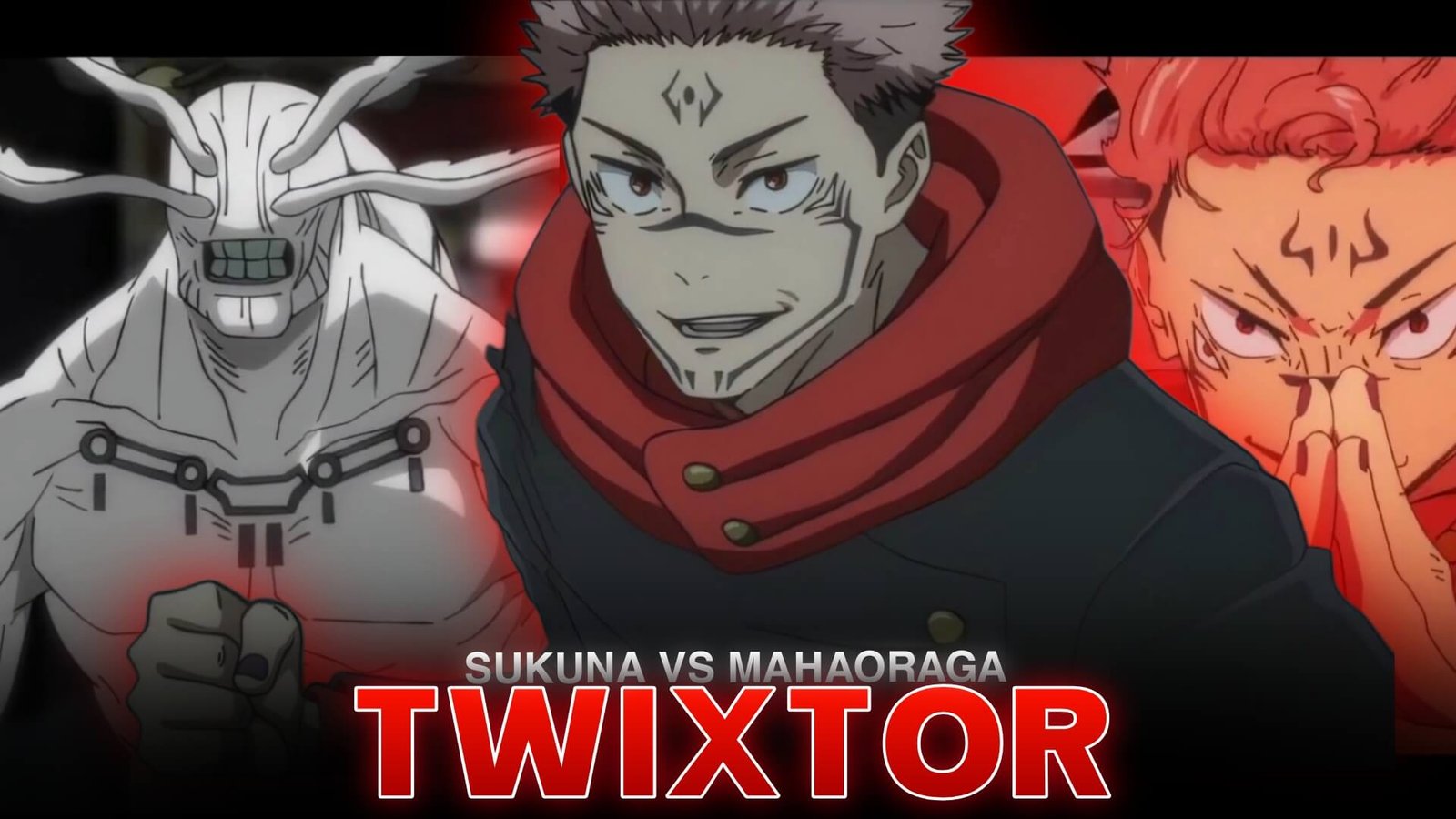
The battle between Ryomen Sukuna and Mahoraga is one of the most visually intense confrontations in Jujutsu Kaisen. Featuring destructive attacks, rapid movement, and dramatic changes in momentum, the fight gives anime editors plenty of material for cinematic velocity edits. Their clash takes place in Season 2, Episode 17, titled “Thunderclap, Part 2.”
Sukuna vs Mahoraga Twixtor is an editing concept for creators who want to emphasize the fight’s strongest moments using smooth slow motion, speed ramps, and carefully timed transitions. The key is to enhance the original animation while keeping the action clear and powerful.
What Makes This Fight Ideal for Twixtor Edits?
Sukuna fights with confidence and overwhelming destructive power, while Mahoraga relies on relentless attacks and its ability to adapt. Their contrasting fighting styles create a sequence filled with sudden movements, powerful impacts, and visually striking effects.
A well-edited Sukuna vs Mahoraga Twixtor sequence can highlight the difference between Sukuna’s controlled movements and Mahoraga’s aggressive combat. Dark backgrounds, red and orange energy effects, and dramatic camera movements also provide opportunities for creative color grading.
Best Moments to Highlight
Sukuna’s Close-Combat Attacks
Sukuna’s rapid movements and precise strikes work well for short speed ramps. Begin at normal speed, accelerate through the attack, and briefly slow down at a visually important moment. This gives the movement more impact without making the entire sequence sluggish.
Mahoraga’s Sword Attacks
Mahoraga’s enormous blade creates strong visual movement across the frame. Use selective slow motion to emphasize the wind-up or the moment before a strike connects. Inspect the sword’s edges carefully because fast-moving objects can produce interpolation artifacts.
Destructive Energy Sequences
The battle’s explosive attacks offer opportunities for beat-synchronized cuts and dramatic transitions. Keep the effects restrained enough that the characters remain visible. A clean cut timed to the music can be more effective than several overlapping flashes.
These moments make Sukuna vs Mahoraga Twixtor a versatile theme for both aggressive velocity edits and slower cinematic montages.
How to Create Smooth Sukuna vs Mahoraga Twixtor Edits
1. Choose High-Quality Source Footage
Start with footage that has clear character outlines and minimal compression artifacts. Fast camera changes, motion blur, and overlapping visual effects can make frame interpolation less predictable.
2. Apply Twixtor Selectively
Import your chosen footage into your editing software and isolate the movements you want to emphasize. Apply Twixtor to the relevant section, then test moderate speed reductions before experimenting with more extreme slow motion.
For a complete workflow, read this beginner’s guide to making Twixtor clips.
3. Build a Dynamic Velocity Curve
Avoid using the same playback speed throughout the fight. Start with normal motion, accelerate during a rush or attack, and slow down briefly at the key visual moment.
This approach gives Sukuna vs Mahoraga Twixtor edits a stronger rhythm and helps each major movement stand out.
4. Synchronize the Effects With Music
Choose a soundtrack with clear beats, dramatic drops, or changes in intensity. Match important impacts and transitions to those moments, but leave enough space for the original action to remain readable.
5. Refine the Final Look
Use contrast and restrained color grading to preserve the fight’s dark atmosphere. Avoid excessive sharpening, glow, and camera shake. Preview the finished sequence at normal speed and check for distorted outlines around the blade, hands, and characters.
Common Mistakes to Avoid
One common problem with Sukuna vs Mahoraga Twixtor is slowing down every attack. Constant slow motion removes the contrast between preparation and impact, making the sequence feel less energetic.
Another issue is expecting interpolation to fix footage that lacks clear motion information. Twixtor estimates intermediate frames, but complex effects and abrupt movement can still create warping or ghosting. If a section looks unnatural, reduce the slowdown or use a regular speed ramp.
For another Jujutsu Kaisen editing reference, check out Choso Twixtor 4K. You can also learn a simpler workflow with this guide to smooth Twixtor clips in CapCut.
Create a Powerful Jujutsu Kaisen Fight Edit
The strongest Sukuna vs Mahoraga Twixtor edits focus on the battle’s rhythm rather than the number of effects used. Highlight Sukuna’s precise attacks, Mahoraga’s relentless movements, and the fight’s biggest visual moments with purposeful speed changes.
Experiment with different pacing, keep the characters clearly visible, and let the soundtrack guide your transitions. With careful source selection and selective interpolation, Sukuna vs Mahoraga Twixtor can become a striking centerpiece for a Jujutsu Kaisen edit.
Frequently Asked Questions
Which episode features Sukuna vs Mahoraga?
The main battle takes place in Jujutsu Kaisen Season 2, Episode 17, titled “Thunderclap, Part 2.”
What effects work well for Sukuna vs Mahoraga edits?
Selective slow motion, velocity ramps, music synchronization, restrained motion blur, and controlled color grading work well for this fast-paced fight.
How can I make the fight smoother with Twixtor?
Use clear source footage, avoid extreme speed reductions, and inspect fast-moving swords and character outlines for interpolation artifacts.
Disclaimer: Jujutsu Kaisen and its characters belong to their respective rights holders. This article is an independent educational resource about video-editing techniques and is not affiliated with the official creators.