LINKS
Get Exclusive CC & Quality Setting Here : https://payhip.com/QualityCCLab
GET EXCLUSIVE FREE TWIXTOR CLIPS
Get Anime Clips Raw For Free: https://twixtorclips.com/anime-raw-clips/
Exclusive Twixtor Clips For Free: https://twixtorclips.com
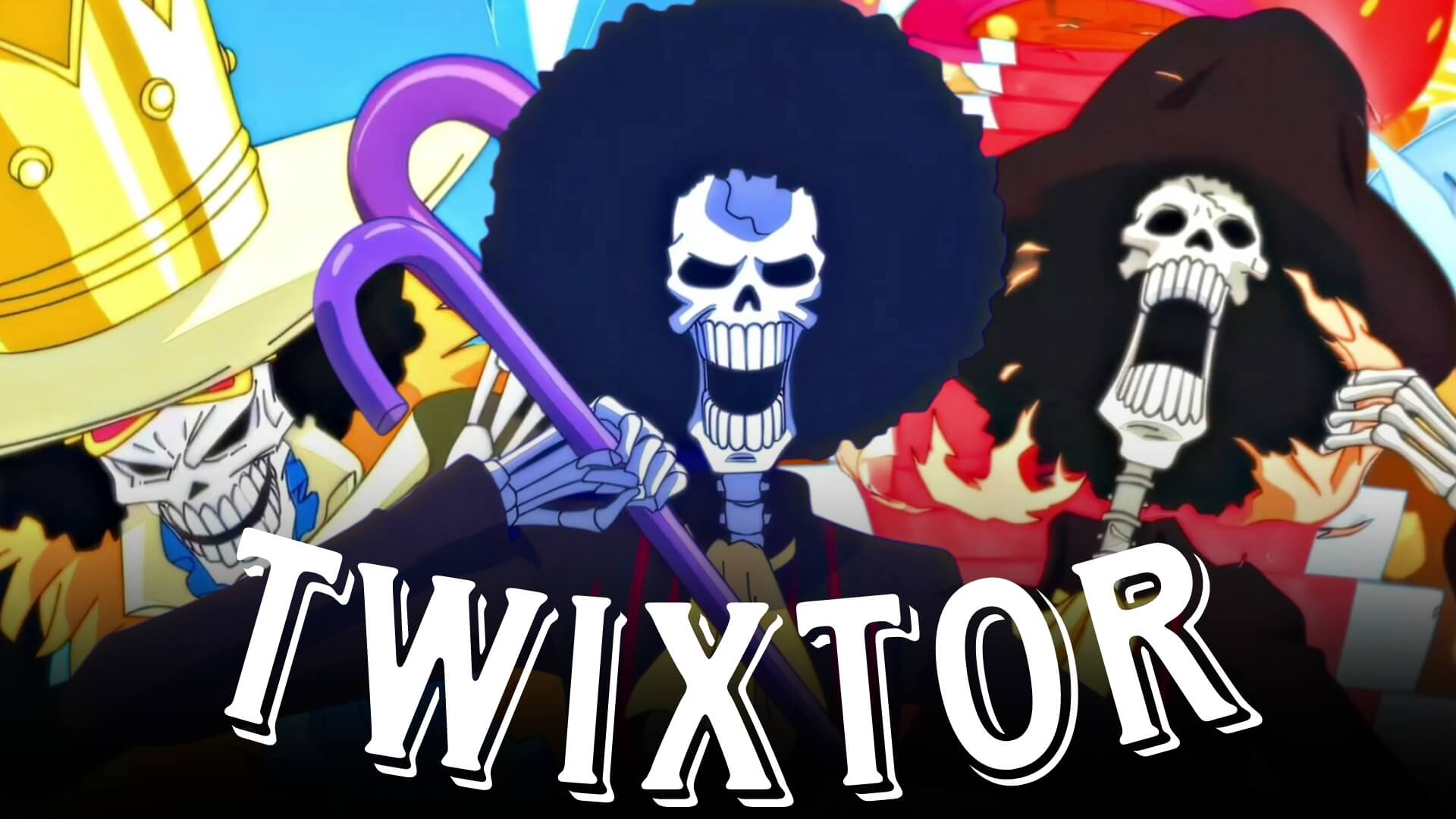
Brook Twixtor: Best One Piece Scenes for Epic Edits
Brook Twixtor edits have become increasingly popular among One Piece fans thanks to Brook’s unique swordsmanship, Soul-Soul abilities, and unforgettable personality. As the Straw Hat Pirates’ musician, Brook combines elegant fencing techniques with supernatural powers, creating visually striking moments that are perfect for Twixtor edits, AMVs, TikTok videos, Instagram Reels, and YouTube Shorts.
Whether you’re creating an action-packed edit or a cinematic character showcase, Brook Twixtor scenes offer fluid animation, stylish attacks, and emotional storytelling that can make your edits stand out.
Why Brook Is Perfect for Twixtor Edits
A successful Brook Twixtor edit begins with scenes featuring clean animation, graceful sword movements, and unique soul-based effects. Brook’s fast combat style and calm personality create moments that become even more impressive when enhanced with smooth slow-motion editing.
Editors enjoy Brook because of his:
- Swift fencing techniques
- Soul King abilities
- Ice-based sword attacks
- Spirit projection scenes
- Stylish character movements
- Emotional character moments
These qualities make Brook one of the most distinctive characters to edit in One Piece.
Best Brook Scenes for Twixtor Editing
Brook vs Big Mom
Brook’s confrontation with Big Mom is one of his most iconic moments in the series.
Best editing moments include:
- Fearless entrance
- Sword clashes
- Soul King techniques
- Calm facial expressions
- Memorable dialogue moments
Editing Tip:
Apply slow motion during Brook’s sword strikes and transition back to full speed for impactful attack sequences.
Brook’s Soul Projection
Brook’s spirit abilities create visually unique scenes perfect for cinematic edits.
Highlight moments include:
- Soul leaving his body
- Ghostly movement
- Blue aura effects
- Character close-ups
- Smooth transitions
These clips work exceptionally well with soft cinematic music.
Brook’s Ice Sword Techniques
Brook’s freezing attacks provide beautiful visual effects.
Focus on:
- Sword draw
- Ice trail effects
- Fast slashes
- Enemy reactions
- Finishing attacks
These scenes are ideal for Twixtor because of their clean animation and fluid motion.
Wano Arc Battles
Brook plays an important role during the Wano Arc.
Excellent editing moments include:
- Team fights
- Sword combat
- Soul King powers
- Emotional character scenes
- Dynamic camera angles
These sequences showcase modern One Piece animation.
Editing Tips for a Smooth Brook Twixtor
Creating a professional Brook Twixtor requires good timing and clean scene selection.
Use High-Resolution Footage
High-quality footage allows Twixtor to preserve the fine details of Brook’s sword techniques and soul effects.
Apply Twixtor Selectively
Reserve slow motion for:
- Sword draws
- Soul projection
- Ice attacks
- Character entrances
- Final finishing strikes
Strategic pacing creates stronger cinematic impact.
Synchronize With Music
Excellent synchronization points include:
- Sword impacts
- Soul King activation
- Ice effects
- Beat drops during attacks
- Final action sequences
Music synchronization helps your edit flow naturally.
Keep Effects Balanced
Brook’s original animation already contains beautiful visual effects. Avoid excessive glow or camera shake that may reduce clarity.
Color Grading Ideas
Enhance your Brook Twixtor with a cinematic color grade.
Popular styles include:
- Cool blue tones
- Frost-inspired highlights
- High-contrast grading
- Soft bloom
- Subtle film grain
These styles complement Brook’s soul and ice abilities while giving your edit a polished appearance.
Common Mistakes to Avoid
When creating a Brook Twixtor, avoid:
- Overusing slow motion
- Excessive transitions
- Heavy camera shake
- Poor beat synchronization
- Low-resolution footage
Simple editing often showcases Brook’s elegant fighting style more effectively.
Why Brook Is a Favorite Among One Piece Editors
Brook stands out because he combines graceful swordsmanship with supernatural abilities and unforgettable personality. His Soul-Soul powers, elegant fencing style, and emotional backstory provide editors with countless opportunities to create both action-packed and story-driven edits.
A well-crafted Brook Twixtor captures the speed of his sword techniques while highlighting the unique atmosphere created by his soul-based abilities, resulting in cinematic edits that feel both stylish and memorable.
FAQ
What are the best Brook scenes for Twixtor edits?
The most popular scenes include Brook vs Big Mom, Soul Projection, Ice Sword techniques, and Wano Arc battles because they feature fluid animation and unique visual effects.
Why is Brook popular for anime edits?
Brook’s elegant swordsmanship, supernatural abilities, emotional moments, and cinematic animation make him an excellent character for Twixtor edits and AMVs.
How can I make my Brook Twixtor smoother?
Use high-quality footage, apply Twixtor only to scenes with clean movement, synchronize key moments with your soundtrack, and avoid excessive visual effects.
Final Thoughts
A memorable Brook Twixtor edit combines smooth slow motion, cinematic pacing, and carefully synchronized music to showcase the Soul King’s elegant combat style and supernatural abilities. By selecting impactful scenes, maintaining clean transitions, and emphasizing Brook’s unique techniques, you can create edits that stand out across every platform.
For more One Piece editing inspiration, explore our guides on Zoro Twixtor, Luffy Gear 5 Twixtor, Shanks Twixtor, Aokiji Twixtor, and Whitebeard Twixtor.