LINKS
More Post Like This: https://twixtorclips.com/gear-5-luffy-vs-kaido-clip/
Anime Twixtor Clips Available: https://twixtorclips.com/anime-twixtor/
Naruto vs Isshiki Clips: Best Boruto Fight Scenes for Edits
The battle between Naruto Uzumaki and Isshiki Otsutsuki gives editors a combination of speed, power, emotion, and dramatic visual changes. Naruto vs Isshiki Clips are particularly useful for edits because the fight moves between controlled martial-arts sequences, explosive attacks, transformation shots, and emotional character moments.
Instead of treating the fight as one continuous action sequence, editors can separate its different visual moods and build an edit around escalation.
What Makes This Fight Useful for Editing?
One of the biggest strengths of this battle is its changing rhythm.
Some shots are extremely fast, while others give enough screen time for close-ups, reactions, and dramatic pauses. That contrast creates opportunities for velocity editing without forcing slow motion onto every frame.
The fight also has a clear visual progression:
- Naruto and Isshiki’s initial confrontation
- Close-range combat
- Powerful Otsutsuki abilities
- Naruto’s increasingly desperate attacks
- Baryon Mode activation
- High-speed exchanges
- Emotional and dramatic closing moments
This progression can become the structure of an entire edit.
Build the Opening Around Tension
Rather than immediately starting with the biggest attack, consider opening with a quiet Naruto or Isshiki shot.
A close-up, stare, walking sequence, or short reaction can establish tension before the beat drops.
For example:
Close-up → short pause → beat → first attack → rapid combat montage
This approach gives the edit somewhere to go instead of revealing its strongest footage immediately.
Isshiki’s Fighting Style Creates Sharp Transitions
Isshiki’s movements are especially useful when creating aggressive edits.
His fighting style includes sudden attacks, rapid movement, shrinking-related abilities, and precise hand-to-hand exchanges. These moments can be cut into very short segments to create a controlled but intense rhythm.
Try matching his attacks with:
- Beat hits
- Camera shakes
- Flash frames
- Directional transitions
- Quick zooms
- Impact sound effects
The goal is to make the movement feel deliberate rather than simply fast.
Naruto’s Close-Combat Moments
Naruto provides a different editing texture.
His punches, kicks, movement, and reactions can be combined into sequences that gradually become faster. Instead of applying the same velocity to every clip, use the natural rhythm of the animation.
A simple sequence could be:
Punch → reaction → kick → impact → close-up → larger attack
This gives every shot a purpose and makes the fight feel like a progression rather than a collection of random clips.
Baryon Mode Should Feel Like a Turning Point
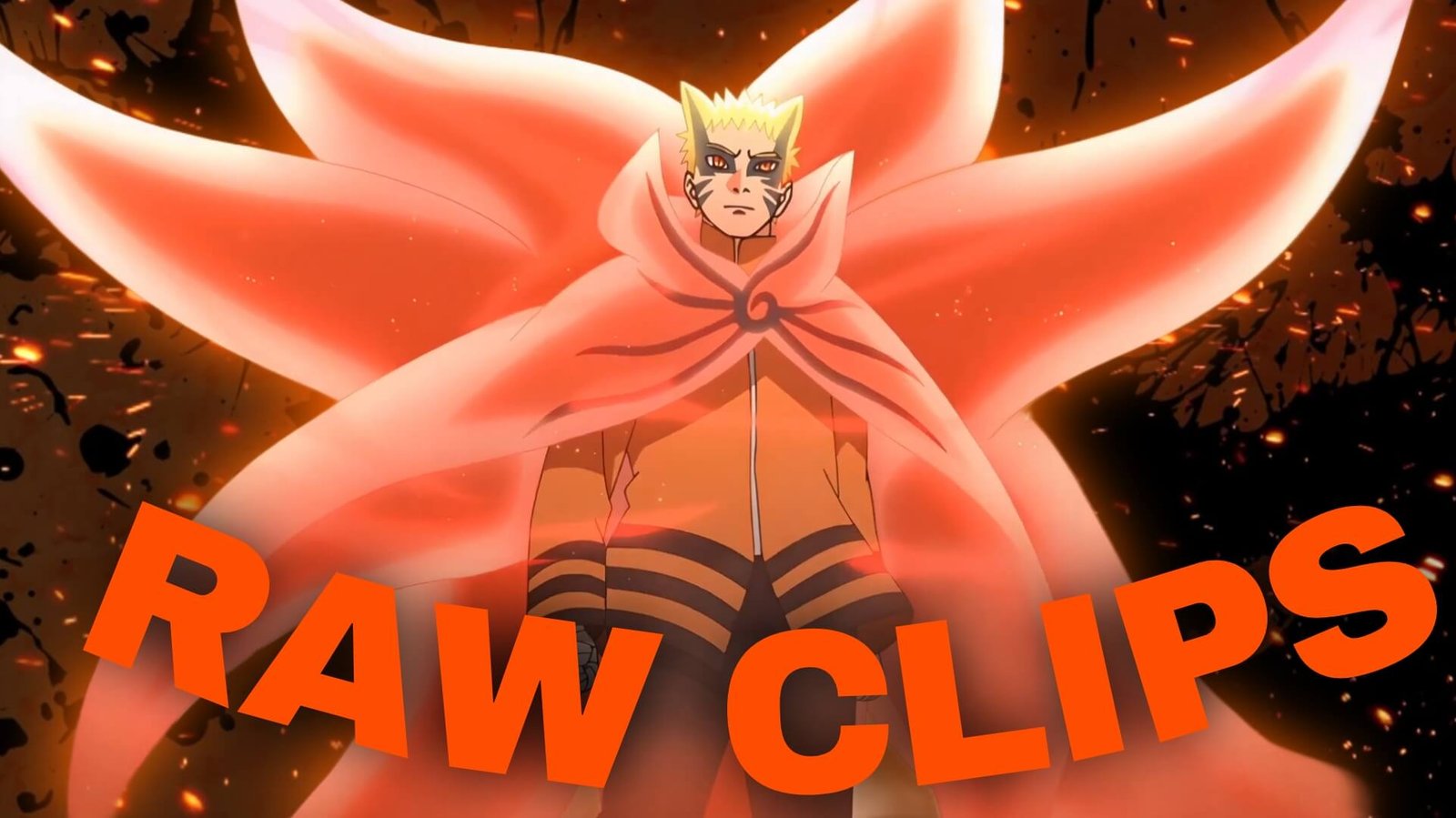
Baryon Mode is one of the most visually recognizable parts of the fight, so it works particularly well as a major transition point.
Rather than placing Baryon Mode footage at the beginning, build anticipation beforehand.
You can use:
- Naruto’s exhausted expressions
- Kurama-related moments
- A short silence or audio reduction
- Transformation footage
- Baryon Mode close-ups
- High-speed combat
The transformation then becomes the moment where the entire visual style changes.
Use Twixtor Selectively
Not every shot in Naruto vs Isshiki Clips needs Twixtor.
The technique is more effective when used on footage with clear movement and relatively clean motion.
Good candidates include:
- Punches
- Kicks
- Dodges
- Fast camera movement
- Naruto’s Baryon Mode attacks
- Isshiki’s sudden movements
- Impact moments
Avoid heavily slowing frames that already contain complicated effects or rapid cuts. Excessive interpolation can make anime footage look unnatural.
Create a Baryon Mode Speed Curve
For a dedicated Baryon Mode edit, try creating three pacing stages.
Stage 1 — Slow
Start with close-ups and emotional shots. Keep the movement controlled.
Stage 2 — Build
Introduce short combat clips and gradually increase the cutting speed.
Stage 3 — Impact
Use the strongest Baryon Mode attacks with faster velocity changes and beat-synchronized cuts.
This creates a noticeable rise in energy without making the entire edit feel equally intense.
Don’t Ignore Isshiki’s Reactions
An edit focused entirely on Naruto can lose some of the tension created by the opponent.
Isshiki’s reactions are useful because they show the changing balance of the battle. A short reaction immediately after Naruto lands an attack can make the previous shot feel more powerful.
Try alternating:
Naruto attack → Isshiki reaction → Naruto close-up → Isshiki counterattack
This creates a visual conversation between both characters.
Color Grading for the Fight
The color treatment can change depending on the section you’re editing.
For the earlier portions of the battle, a darker and more restrained grade can emphasize the serious atmosphere. Once Baryon Mode appears, stronger contrast and brighter highlights can help separate the transformation from the earlier footage.
Don’t overdo saturation. Anime footage already contains strong colors, so excessive grading can remove detail from effects and character outlines.
Three Edit Concepts You Can Try
1. Naruto’s Last Stand
Build the edit around Naruto’s determination.
Use close-ups, exhausted expressions, Baryon Mode activation, and selected combat shots. Let the music gradually become more intense.
2. Naruto vs Isshiki — Power Contrast
Give both characters equal screen time.
Start with Isshiki’s overwhelming attacks, transition into Naruto’s resistance, and finish with the most memorable Baryon Mode sequences.
3. Baryon Mode Velocity Edit
Keep the entire edit focused on movement.
Use punches, kicks, dodges, close-ups, and impact frames. Save the strongest shots for the final section and synchronize them with the main beat.
Organize Your Clips by Purpose
Instead of storing every scene in one folder, separate your footage into categories such as:
- Naruto close-ups
- Isshiki close-ups
- Hand-to-hand combat
- Baryon Mode
- Major attacks
- Reactions
- Transformation shots
- Background/action shots
This makes the editing process considerably faster because you can find the visual type you need without repeatedly searching through the entire fight.
Common Editing Mistakes
Avoid turning the entire fight into nonstop speed ramps.
Other problems include:
- Using Twixtor on unsuitable frames
- Overusing camera shake
- Cutting every shot on the same beat
- Making every transition extremely flashy
- Ignoring reaction shots
- Using too many effects over already detailed animation
- Starting with the strongest scene and leaving nowhere to escalate
A cleaner edit can often make the original animation feel more powerful.
Frequently Asked Questions
What are Naruto vs Isshiki Clips useful for?
They work well for anime edits involving combat, transformations, velocity effects, character-focused montages, and dramatic storytelling.
Is Baryon Mode good for Twixtor edits?
Yes. Baryon Mode contains several strong movement shots that can work with controlled speed changes, provided the source footage is suitable for interpolation.
Should I use the entire Naruto vs Isshiki fight in one edit?
Not necessarily. Selecting footage around one theme—such as Baryon Mode, Naruto’s determination, or the Naruto-Isshiki rivalry—can produce a more focused result.
What music works with these clips?
Aggressive cinematic tracks, dramatic instrumentals, phonk-style beats, and emotional builds can all work depending on the mood you want to create.
How can I make the fight edit feel smoother?
Focus on motion continuity. Match similar movement directions between clips, use velocity changes sparingly, and allow important shots enough screen time to register.
Final Thoughts
Naruto vs Isshiki Clips offer much more than fast combat footage. The fight contains tension, character reactions, transformation material, powerful movement, and a clear escalation that can be translated into different editing styles.
For the strongest result, think about the story of the edit before adding effects. Decide whether the focus is Naruto’s determination, Isshiki’s overwhelming presence, the transformation into Baryon Mode, or the overall battle. Once the visual direction is clear, velocity, transitions, color grading, and sound design can support that idea instead of competing with it.
Disclaimer
This article is intended for anime editing, creative inspiration, and commentary purposes. It does not host or distribute copyrighted footage. Use source material you have the right to edit and follow applicable copyright and platform policies. Naruto vs Isshiki Clips 4K

Get Exclusive CC & Quality Setting Here : https://payhip.com/QualityCCLab