LINKS
More Post Like This: https://twixtorclips.com/doma-twixtor-4k-cc-demon-slayer/
Anime Twixtor Clips Available: https://twixtorclips.com/anime-twixtor/
Garp Galaxy Impact Raw Clips: Best One Piece Scenes for Edits
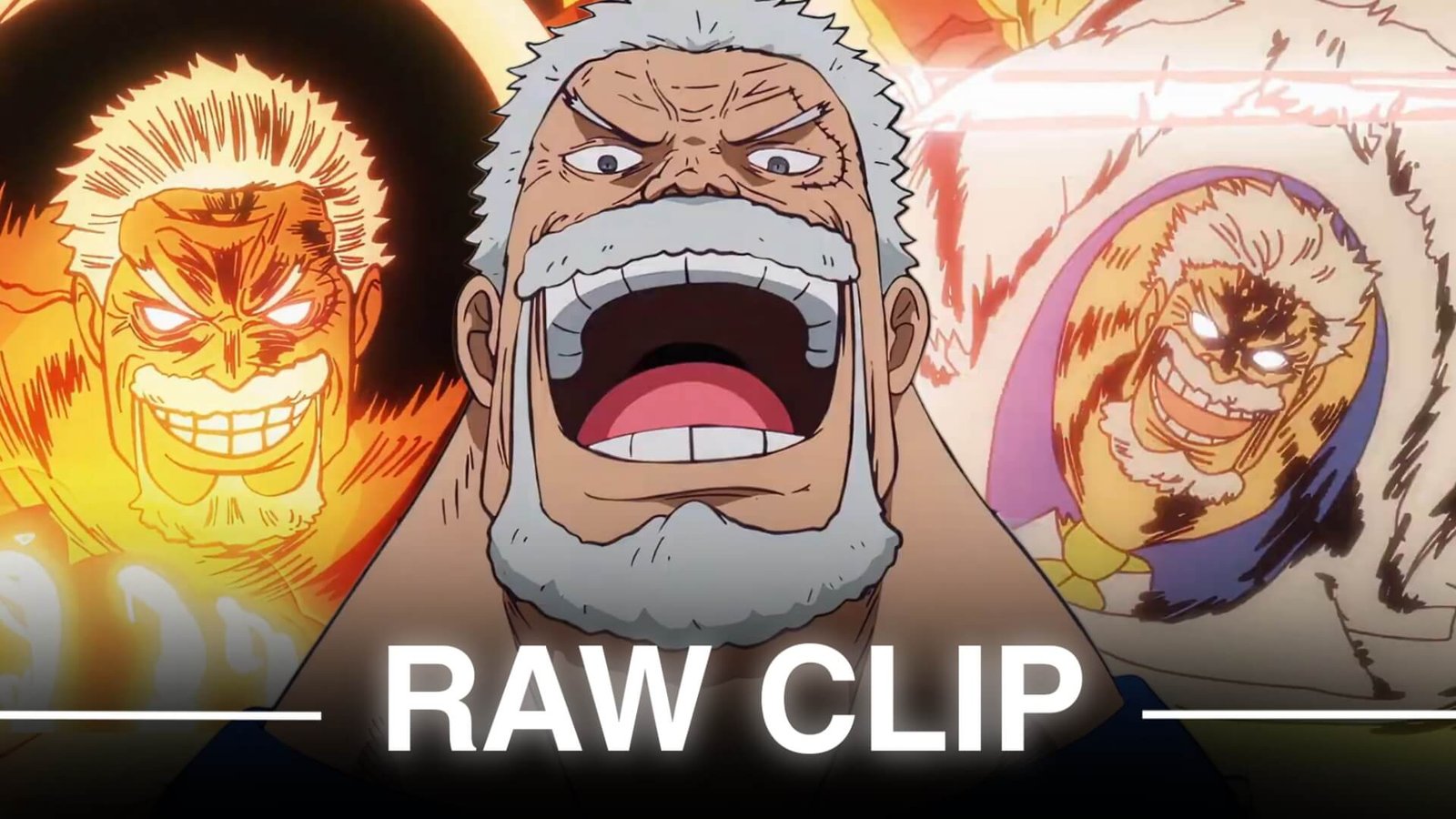
Garp Galaxy Impact Raw Clips are especially useful for One Piece editors looking for powerful action footage, dramatic buildup, Haki effects, large-scale impact shots, and cinematic character moments. Garp’s arrival at Hachinosu and the subsequent Galaxy Impact sequence provide several distinct sections that can be edited individually or combined into one high-energy montage.
The anime sequence appears in Episode 1114, where Garp arrives to rescue Koby and unleashes Galaxy Impact against the pirates on Hachinosu.
Editorial Note: This article focuses on editing ideas, scene organization, and creative use of footage. It does not host or distribute copyrighted One Piece footage.
Why Galaxy Impact Footage Works for Edits
Galaxy Impact has a useful combination of buildup and payoff. The sequence does not rely on the attack alone; Garp’s arrival, his dialogue, the preparation of his fist, the attack itself, and the aftermath all provide different editing opportunities.
A Garp Galaxy Impact Raw Clips collection can include:
- Garp’s arrival
- Ship entrance
- Garp close-ups
- Haki buildup
- Jumping sequences
- Fist preparation
- Galaxy Impact release
- Shockwave effects
- Destruction shots
- Pirate reactions
- Koby reaction shots
- Wide battlefield scenes
The anime also adds visual material around the attack, including an expansive galaxy-style visualization.
Garp’s Entrance at Hachinosu
The entrance is a natural opening for a cinematic edit.
Rather than starting directly with Galaxy Impact, begin with Garp arriving and establishing his presence. Wide shots can introduce the location before switching to closer character footage.
For Garp Galaxy Impact Raw Clips, this section works well with slower music or a gradual buildup.
A simple opening could be:
Wide shot → Garp reveal → close-up → reaction → movement → attack buildup
This gives the final impact more room to stand out.
Haki Buildup and Fist Preparation
The buildup before Galaxy Impact is one of the most useful parts for velocity editing.
Garp’s movement toward the battlefield and the visual emphasis around his fist create natural points for speed changes.
For a Garp Galaxy Impact Raw Clips edit, try slowing the preparation slightly before increasing the pace as Garp approaches the impact.
This can create a progression such as:
Slow buildup → acceleration → Haki focus → maximum impact
The effect works particularly well when synchronized with a musical rise.
Galaxy Impact Release
The actual Galaxy Impact should usually be treated as the main visual payoff.
The attack is accompanied by large-scale effects and an extensive impact sequence, giving editors several frames to choose from rather than relying on one moment.
For a Galaxy Impact edit, consider splitting the sequence into:
- Attack windup
- Fist movement
- Impact frame
- Shockwave
- Destruction
- Wide aftermath
This gives you more control over the pacing.
Shockwaves and Destruction
The aftermath provides some of the strongest cinematic footage in the sequence.
Large shockwaves, debris, dust, and environmental destruction can be used after the main impact to extend the climax.
Instead of immediately cutting away after Galaxy Impact, allow a short slow-motion section to show the scale of the attack.
This works especially well in Garp Galaxy Impact Raw Clips when the soundtrack has a sustained drop rather than a single beat.
Reactions From Koby and the Pirates
Reaction shots are useful because they provide contrast against Garp’s overwhelming attack.
You can insert a short reaction between two action clips:
Garp → pirate reaction → Galaxy Impact → Koby reaction → aftermath
This makes the edit feel more like a sequence from a story rather than a collection of effects.
Garp Close-Up Clips
Close-ups can be used to introduce or conclude the edit.
Garp’s expressions and confident presence work particularly well before the attack. A slow zoom can be combined with subtle motion blur before cutting into the main action.
For Garp Galaxy Impact Raw Clips, close-ups are also useful when you need a short pause between two high-energy shots.
Creating a Garp Velocity Edit
The attack contains several natural velocity points.
Try using:
Normal speed → slow motion → acceleration → impact → slow aftermath
Twixtor or another frame-interpolation technique can be applied selectively to movements that benefit from additional smoothness.
Avoid slowing the entire Galaxy Impact sequence equally. Different speed levels create more visual contrast.
Music and Sound Synchronization
A powerful soundtrack can make the buildup much more effective.
For a cinematic edit, let the music gradually build while Garp approaches the battlefield.
Then use the strongest musical impact for the Galaxy Impact itself.
Possible synchronization points include:
- Garp reveal → music begins
- Fist preparation → buildup
- Jump → rising sound
- Galaxy Impact → major beat drop
- Shockwave → sustained bass
- Final reaction → music slowdown
Original scene audio can also be retained selectively when it adds character to the edit.
Color Grading Galaxy Impact Clips
Galaxy Impact contains bright effects, dark Haki visuals, environmental destruction, and large areas of debris.
For Garp Galaxy Impact Raw Clips, focus on keeping the contrast between these elements visible.
You can adjust:
- Contrast
- Highlights
- Shadows
- Saturation
- Exposure
- Sharpness
Avoid pushing the highlights too far, especially around the brightest impact frames.
Raw Clip Organization
If you’re organizing footage you have the legal right to use, a simple folder structure can make editing much faster:
Garp Galaxy Impact
- Entrance
- Garp Close Ups
- Haki
- Jump
- Attack Buildup
- Galaxy Impact
- Shockwaves
- Destruction
- Reactions
- Aftermath
This allows you to quickly locate a specific type of shot when building an edit.
Transition Ideas
The Galaxy Impact sequence itself provides several natural transitions.
Fist-to-Impact Cut
Cut from the fist preparation directly into the impact.
Reaction Transition
Use a pirate or Koby reaction to bridge two action sections.
Shockwave Transition
Use the expanding impact as a visual bridge into another scene.
Movement Match
Match Garp’s movement direction with the following clip.
Flash Cut
Use a brief impact flash only where the animation already provides a strong visual change.
These approaches can keep Garp Galaxy Impact Raw Clips edits clean without relying on excessive presets.
Garp Edit Concepts
Galaxy Impact Velocity Edit
Focus entirely on the buildup, attack, and impact with aggressive speed changes.
Garp Cinematic Edit
Use his entrance, close-ups, Haki buildup, Galaxy Impact, and aftermath with slower pacing.
Garp Power Edit
Combine Galaxy Impact with other major Garp battle moments.
Garp & Koby Edit
Focus on Garp’s rescue mission and his relationship with Koby before transitioning into the attack.
Haki Edit
Build the video around Garp’s Haki visuals and powerful attack moments.
Common Editing Mistakes
When working with Garp Galaxy Impact Raw Clips, avoid making the edit too effects-heavy.
Common issues include:
- Excessive slow motion
- Overusing flashes
- Heavy sharpening
- Too much camera shake
- Excessive glow
- Random transitions
- Poorly timed speed ramps
- Hiding the animation under overlays
- Using the same velocity curve for every shot
The Galaxy Impact animation already contains substantial visual effects, so the edit should enhance rather than obscure the original scene.
FAQ
What are Garp Galaxy Impact Raw Clips?
Garp Galaxy Impact Raw Clips refers to minimally edited footage from Garp’s Galaxy Impact sequence in One Piece, particularly the Hachinosu sequence from Episode 1114, used as source material for editing when the editor has the appropriate rights.
Which episode features Galaxy Impact?
Garp uses Galaxy Impact in One Piece Episode 1114, “For the Beloved Pupil – The Fist of Vice Admiral Garp!”
What parts of Galaxy Impact are useful for edits?
Garp’s entrance, Haki buildup, attack preparation, Galaxy Impact release, shockwaves, destruction, and character reactions all provide useful editing moments.
Is Galaxy Impact good for velocity edits?
Yes. The buildup, jump, attack movement, impact, and aftermath provide several natural points for controlled speed changes.
How can I make Garp Galaxy Impact clips smoother?
Use clean source footage, apply frame interpolation selectively, avoid extreme slow motion, and use motion blur according to the movement in each shot.
What music works for a Garp Galaxy Impact edit?
Cinematic, orchestral, aggressive electronic, trap, and other high-energy styles can work depending on whether you want to emphasize Garp’s entrance, the attack, or the destruction.
Final Thoughts
Garp Galaxy Impact Raw Clips offer much more than the attack itself. Garp’s entrance, the buildup, Haki visuals, Galaxy Impact, shockwaves, destruction, and reactions can each serve a different purpose in an edit.
The strongest approach is to build anticipation before the attack and reserve the biggest musical and visual impact for Galaxy Impact itself. Afterward, slower destruction or reaction footage can provide a natural ending.
With careful clip selection, controlled Twixtor, clean velocity changes, and well-timed music, Garp Galaxy Impact Raw Clips can provide the foundation for a powerful One Piece edit.
Disclaimer
This article is for editing inspiration and informational purposes only. One Piece, Monkey D. Garp, and related animation footage are the property of their respective copyright holders. Use footage you have the legal right or permission to edit and share, and follow applicable copyright and platform policies.

Get Exclusive CC & Quality Setting Here : https://payhip.com/QualityCCLab