LINKS
More Post Like This: https://twixtorclips.com/zoro-vs-king-clips-4k-anime-clips/
Anime Twixtor Clips Available: https://twixtorclips.com/anime-twixtor/
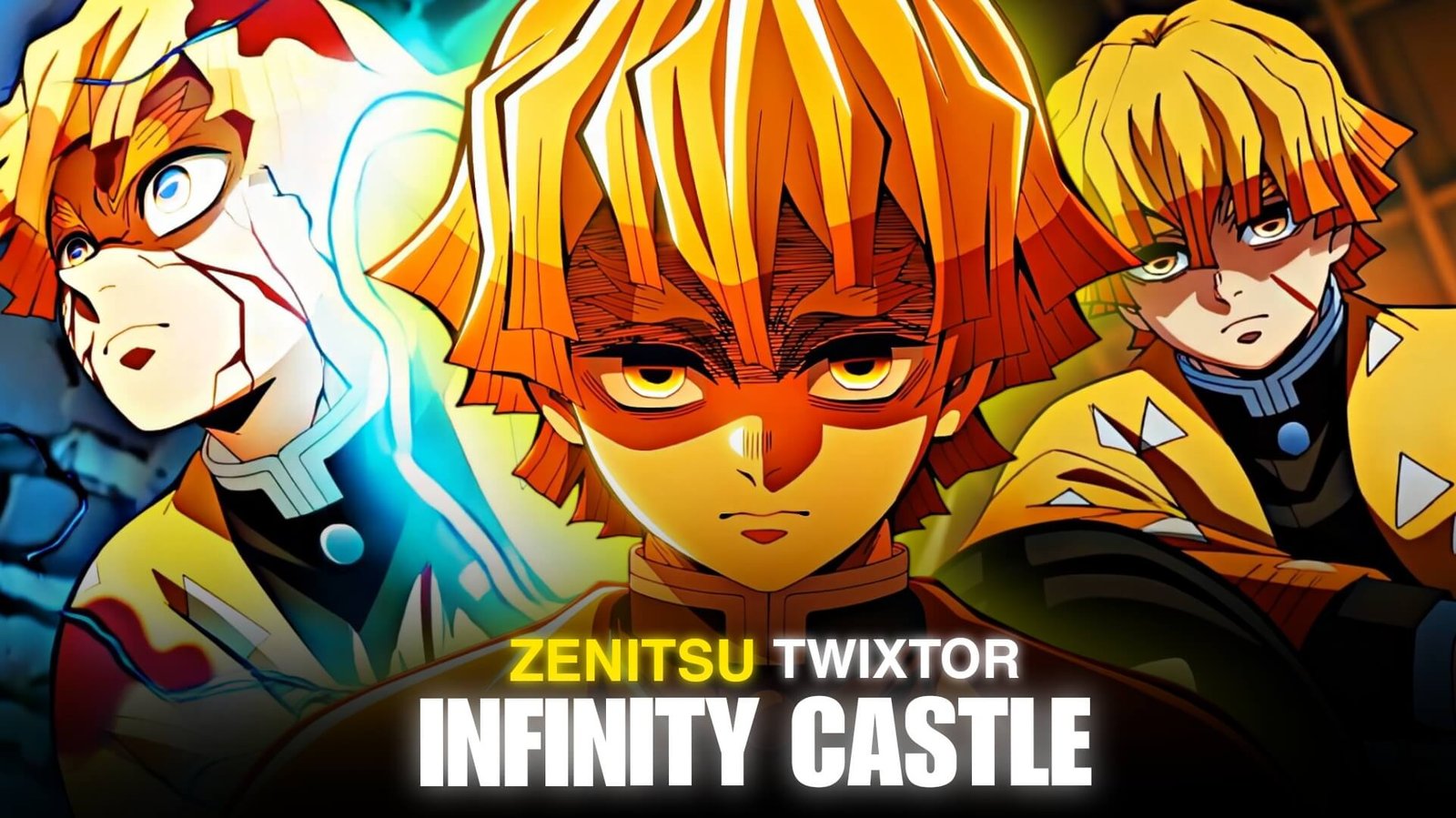
Zenitsu Infinity Castle Twixtor: Best Demon Slayer Clips for Edits
Zenitsu Infinity Castle Twixtor footage can be excellent for anime editors who want to create fast, dramatic, and visually intense Demon Slayer edits. Zenitsu’s lightning-based movement, sharp sword attacks, dramatic expressions, and high-speed action provide plenty of opportunities for velocity editing and slow-motion effects.
The Infinity Castle setting also adds a unique visual atmosphere. Its constantly shifting architecture, dark surroundings, dramatic lighting, and fast-paced combat can give Zenitsu edits a cinematic appearance.
Editorial Note: This article focuses on editing techniques, scene selection, and creative use of anime footage. It does not host or distribute copyrighted Demon Slayer footage.
What Makes Zenitsu Infinity Castle Footage Stand Out?
Zenitsu has always been associated with extremely fast movement, but the Infinity Castle setting gives his action sequences a different visual character.
The contrast between the dark environment and bright lightning effects can make individual shots stand out.
Useful Zenitsu Infinity Castle Twixtor footage can include:
- Zenitsu close-ups
- Sword-drawing moments
- Thunder Breathing attacks
- Lightning effects
- High-speed movement
- Facial expressions
- Sword clashes
- Running sequences
- Impact frames
- Environmental shots
Instead of using every action shot consecutively, combine fast combat with short atmospheric moments to create better pacing.
Zenitsu Close-Up Shots
Close-ups are useful when building tension before a fast attack.
A simple sequence can be:
Zenitsu close-up → eyes → sword → stance → attack
You can slow the first few shots and gradually increase the speed as the action begins.
This creates a stronger buildup than immediately starting with the fastest movement.
For Zenitsu Infinity Castle Twixtor, close-ups are also useful for beat synchronization because they give you clear visual moments where you can make cuts.
Thunder Breathing Attacks
Zenitsu’s Thunder Breathing techniques provide some of the strongest material for velocity edits.
The combination of sword movement, lightning, and rapid acceleration makes these shots naturally suitable for speed manipulation.
Try separating the attack into different sections:
Preparation → acceleration → attack → impact → recovery
Keep the preparation slightly slower, accelerate into the attack, and return toward normal speed after the impact.
This creates a controlled velocity curve rather than making the entire clip move at one speed.
Lightning and Impact Frames
Lightning effects can work as natural transition points.
For example:
Dark frame → lightning flash → Zenitsu movement → sword strike
You can synchronize the flash with a music beat or sound effect.
However, avoid adding excessive flashes over footage that already contains bright lightning. The original animation can provide enough visual intensity on its own.
Zenitsu’s High-Speed Movement
Fast movement is one of the biggest advantages of Zenitsu Infinity Castle Twixtor footage.
When using Twixtor or another frame-interpolation tool, look for shots with relatively clear movement.
Good candidates can include:
- Straight-line dashes
- Sword swings
- Running
- Forward attacks
- Side movement
- Clear body motion
More complicated shots with overlapping effects may produce unwanted interpolation artifacts.
Creating a Zenitsu Velocity Edit
A strong velocity edit can be structured around increasing intensity.
Opening
Start with a calm Zenitsu close-up or environmental shot.
Build-Up
Introduce the sword, stance, or Thunder Breathing preparation.
Acceleration
Begin increasing the speed as Zenitsu starts moving.
Impact
Use the main sword attack or lightning sequence on the strongest beat.
Slowdown
Briefly return to slow motion after the impact.
Ending
Finish with a close-up, lightning effect, or dramatic pose.
This gives your Zenitsu Infinity Castle Twixtor edit a beginning, buildup, climax, and ending.
Twixtor Settings and Motion
Twixtor can be useful when you want to create smoother slow-motion sections from suitable footage.
However, more Twixtor does not automatically mean a better edit.
Watch carefully around:
- Hair
- Sword edges
- Hands
- Lightning
- Clothing
- Fast camera movement
- Background details
If the footage contains complex movement, shorten the interpolated section rather than forcing the entire shot into extreme slow motion.
A useful workflow is:
Normal speed → velocity ramp → Twixtor slow motion → impact → normal speed
Music for Zenitsu Edits
Zenitsu’s footage can work with several music styles.
Electronic
Good for fast velocity edits and beat-synced cuts.
Cinematic
Useful for building tension before a major attack.
Phonk
Can work with aggressive speed ramps and short-form edits.
Orchestral
Useful when you want the edit to feel more dramatic.
Anime Soundtracks
These can emphasize the emotional and narrative side of the footage.
Try synchronizing major sword movements and lightning flashes with specific beats instead of cutting every shot on every beat.
Color Grading
The Infinity Castle environment can provide a darker visual foundation.
A balanced grade can emphasize the contrast between Zenitsu and his surroundings.
You can experiment with:
- Contrast
- Exposure
- Highlights
- Shadows
- Saturation
- Curves
- Sharpening
Keep bright lightning effects under control. Excessive exposure or saturation can remove detail from bright parts of the frame.
For a cinematic look, preserve some of the darker tones while allowing the lightning and character highlights to stand out naturally.
Transition Ideas
Lightning Flash
Use an existing lightning flash to hide a cut between two shots.
Sword Match Cut
Match the direction of one sword movement with the next clip.
Speed Blur Transition
Accelerate into one shot and transition during the movement.
Dark-to-Light Cut
Move from a dark Infinity Castle frame into a bright lightning sequence.
Impact Cut
Cut immediately after a strong attack connects.
These transitions can make Zenitsu Infinity Castle Twixtor edits feel connected without relying on too many preset transitions.
Zenitsu Edit Concepts
Thunder Breathing Edit
Focus entirely on Zenitsu’s sword movements and lightning effects.
Speed Demon Edit
Build the video around rapid dashes, speed ramps, and impact frames.
Cinematic Zenitsu Edit
Use environmental shots, close-ups, buildup, and combat to create a story-driven edit.
Dark Infinity Castle Edit
Emphasize the castle environment, shadows, close-ups, and lightning contrast.
Beat-Sync Velocity Edit
Use short clips and synchronize movement, speed changes, and impact frames with the music.
Organizing Your Footage
If you are organizing footage you have the legal right to use, separating clips into categories can make the editing process faster.
Zenitsu
- Close-ups
- Walking
- Sword preparation
- Attack sequences
- Reactions
- Final poses
Thunder Breathing
- Sword movement
- Lightning
- Dashes
- Impact shots
- Technique sequences
Environment
- Infinity Castle
- Wide shots
- Architecture
- Dark backgrounds
- Atmospheric moments
This organization makes it easier to build different edits without searching through the entire footage collection.
Common Mistakes
When creating Zenitsu Infinity Castle Twixtor edits, avoid making every moment extremely fast.
Common problems include:
- Excessive velocity
- Overusing Twixtor
- Too much motion blur
- Excessive glow
- Overexposed lightning
- Too many flashes
- Heavy sharpening
- Random transitions
- Excessive camera shake
- Slowing complex animation too aggressively
Zenitsu’s animation already contains strong movement and effects, so controlled editing can often produce a cleaner result.
FAQ
What is Zenitsu Infinity Castle Twixtor?
Zenitsu Infinity Castle Twixtor refers to Zenitsu-focused footage from the Infinity Castle setting that editors can use with Twixtor or similar frame-interpolation techniques when they have the appropriate rights to use the footage.
Is Zenitsu good for velocity edits?
Yes. His fast sword movements, dashes, and lightning-based attacks provide natural opportunities for speed ramps and velocity effects.
Which Zenitsu shots work best with Twixtor?
Shots with clear and predictable movement generally work better. Straight dashes, sword movements, and isolated character motion can be easier to interpolate than complex scenes with overlapping effects.
Should I slow down every Zenitsu clip?
No. Mixing normal speed, fast sections, and short slow-motion moments usually creates better pacing than applying slow motion throughout the entire edit.
What effects work well with Zenitsu?
Speed ramps, motion blur, subtle glow, camera movement, beat synchronization, and controlled color grading can complement his footage.
Can I use Zenitsu clips in After Effects?
Yes. After Effects can be used for speed manipulation, Twixtor, color grading, transitions, compositing, and other editing techniques.
Final Thoughts
Zenitsu Infinity Castle Twixtor footage offers a strong combination of speed, sword choreography, lightning effects, dramatic close-ups, and the distinctive atmosphere of the Infinity Castle.
For a velocity edit, focus on clear movement and use speed changes strategically. For a cinematic edit, combine Zenitsu’s close-ups with environmental footage and carefully build toward the major action sequence.
Twixtor can enhance the smoothness of selected slow-motion sections, but the strongest results usually come from combining it with good timing, clean transitions, controlled color grading, and music synchronization.
Disclaimer
This article is for editing inspiration and informational purposes only. Demon Slayer: Kimetsu no Yaiba, Zenitsu Agatsuma, Infinity Castle, and related anime footage are protected by their respective copyright holders. This site does not host or distribute copyrighted footage. Use footage you have the legal right or permission to edit and follow applicable copyright and platform policies.

Get Exclusive CC & Quality Setting Here : https://payhip.com/QualityCCLab